
Description
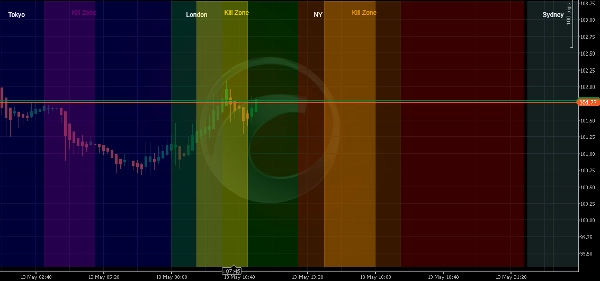
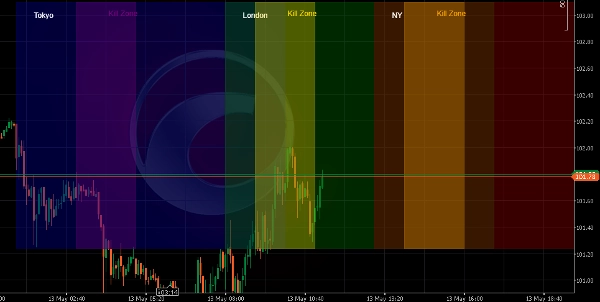
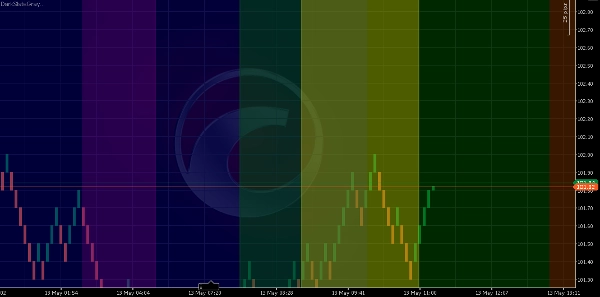
Session & Kill Zone Highlighter is a professional visual indicator designed for traders who follow the ICT/SMC methodology or simply want to know exactly which market session is active at any given time.
ð¹ WHAT IT DOES
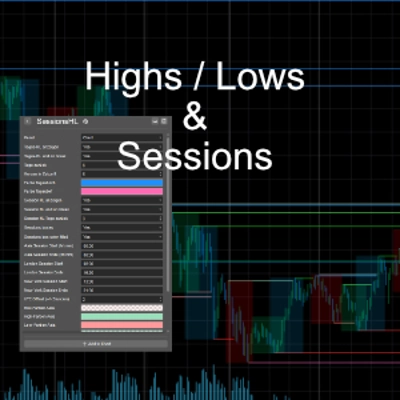
This indicator draws transparent colored rectangles directly on your chart for all major forex sessions:
⢠Sydney Session (UTC: 22:00 - 07:00)
⢠Tokyo Session (UTC: 00:00 - 09:00)
⢠London Session (UTC: 07:00 - 16:00)
⢠New York Session (UTC: 12:00 - 21:00)
Additionally, it highlights the most liquid ICT Kill Zones:
⢠Asian Kill Zone (02:00 - 04:00 UTC)
⢠London Kill Zone (08:00 - 10:00 UTC)
⢠New York Kill Zone (13:00 - 15:00 UTC)
ð¹ KEY FEATURES
â Works with ALL chart types: Renko, Candlestick, Line, Tick, Range, Volume, Point & Figure, Kagi
â Fully customizable session times and colors
â Adjustable opacity for sessions and kill zones (0.1 to 0.9)
â Optional session labels and vertical boundary lines
â Automatically redraws every day
â Handles overnight sessions (e.g., Sydney)
ð¹ WHY YOU NEED IT
⢠Stop guessing which market is active
⢠Identify the most liquid trading hours at a glance
⢠Apply ICT methodology with visual confirmation
⢠Save time â no more manual line drawing
⢠Works on any timeframe and any instrument (Forex, Indices, Crypto, Commodities, Stocks)
ð¹ PRICING & TRIAL
⢠Regular price: $19 USD
⢠7-day fully functional free trial (no features restricted)
⢠One-time payment, lifetime license
ð¹ IMPORTANT NOTES
⢠This indicator is designed to be applied directly to the Chart panel. Even if you select 'New Panel' in the properties, the indicator will still draw correctly on the chart.
⢠All times are in UTC. The indicator automatically handles day transitions and overnight sessions.
⢠After the 7-day trial expires, the indicator will stop working and display a message. Purchase the full version to continue using it.
â ï¸ DISCLAIMER: Trading involves risk of loss. Past performance does not guarantee future results. This indicator is a visual tool designed to help traders identify market sessions. It does not generate trading signals. Always use proper risk management.
ð§ SUPPORT: For questions, feature requests, or support, contact the developer through the cTrader Store.
Enjoy trading with Session & Kill Zone Highlighter!
Summary
The indicator supports all chart types, including Renko, Candlestick, Line, Tick, Range, Volume, Point & Figure, and Kagi. Users can customize session times, colors, and opacity levels (0.1 to 0.9), and enable optional session labels and vertical boundary lines. It automatically redraws daily and correctly handles overnight sessions such as Sydney.
This tool aids traders in identifying active market sessions and the most liquid trading hours at a glance, facilitating application of the ICT/SMC trading methodology. It works on any timeframe and instrument type, including Forex, Indices, Crypto, Commodities, and Stocks. All times are in UTC, and the indicator is applied directly to the chart panel.
Discussion
Customer reviews
5 | 100 % | |
4 | 0 % | |
3 | 0 % | |
2 | 0 % | |
1 | 0 % |