
Deskripsi
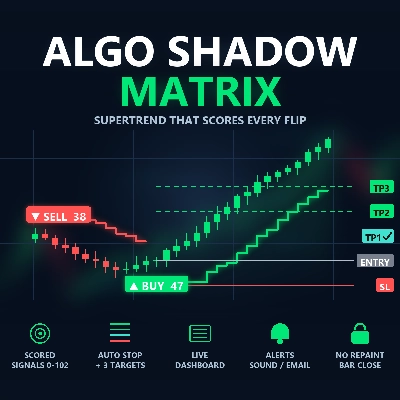
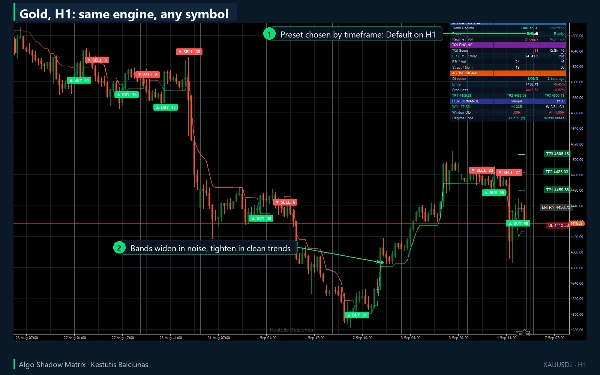
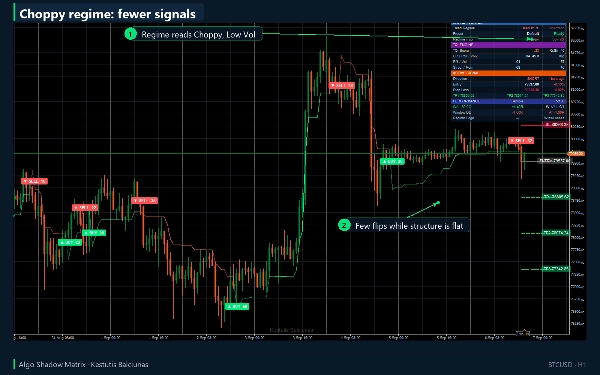
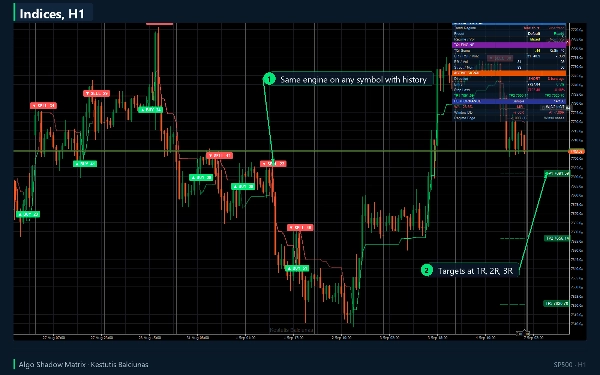
Algo Shadow Matrix adalah Supertrend yang mengetahui seberapa baik tren tersebut. Indeks Kualitas Tren (TQI) yang dibangun dari efisiensi pasar, rezim volatilitas, struktur harga, dan ketahanan momentum menentukan lebar pita pada setiap bar: garis mengikuti harga dalam tren yang bersih dan mundur saat ada noise, sehingga pembalikan terjadi saat karakter pasar benar-benar berubah. Setiap pembalikan diberi skor, digambar dengan stop dan tiga targetnya, dan dicatat dalam buku kinerja langsung, sehingga Anda dapat melihat sekilas apakah rezim saat ini layak untuk diperdagangkan.
Apa yang digambarkannya di grafik Anda
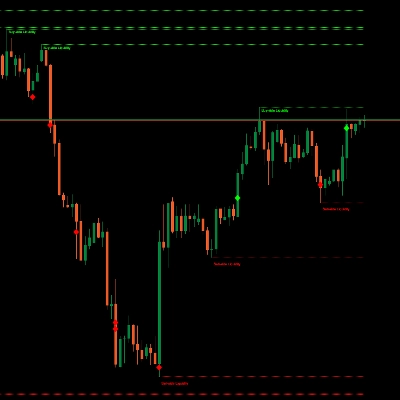
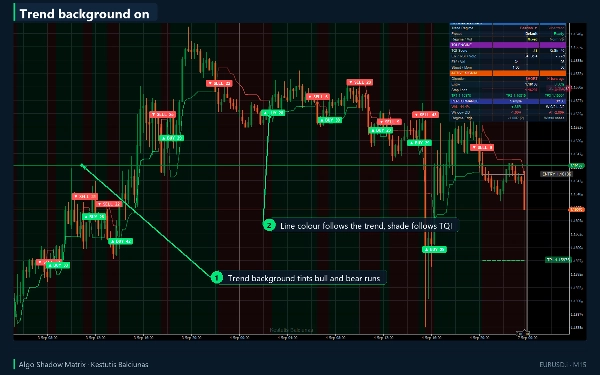
- Garis Supertrend adaptif, diwarnai berdasarkan arah tren dan diberi bayangan berdasarkan kualitas tren.
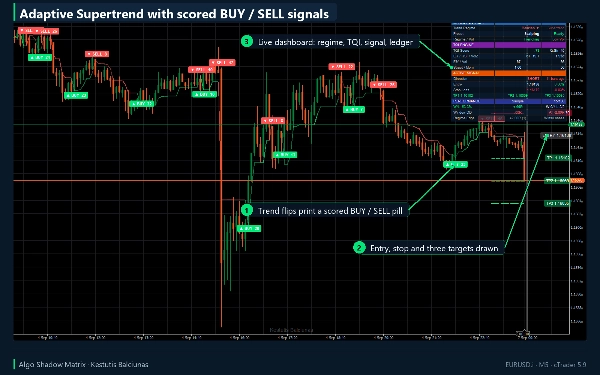
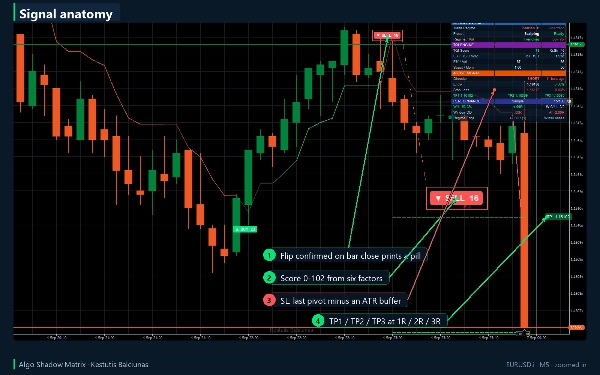
- Pilihan BELI atau JUAL pada setiap pembalikan dengan skor dari 0 hingga 102 yang dibangun dari enam faktor: momentum, efisiensi, volume, kedalaman RSI, struktur, dan kedalaman break.
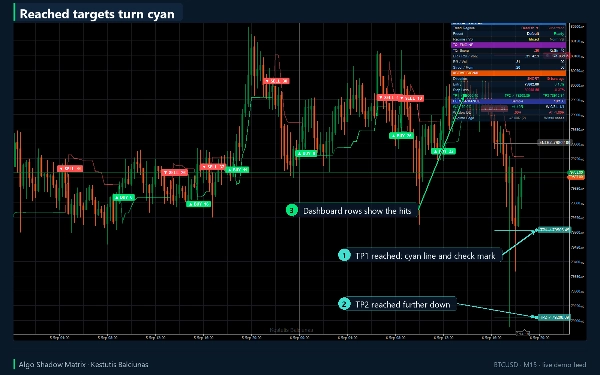
- Untuk setiap sinyal: entri, stop yang sadar struktur (pivot terakhir dikurangi buffer ATR) dan tiga level take-profit pada 1R, 2R, dan 3R secara default, diperpanjang ke kanan. Target yang tercapai berubah menjadi warna sian dengan tanda centang.
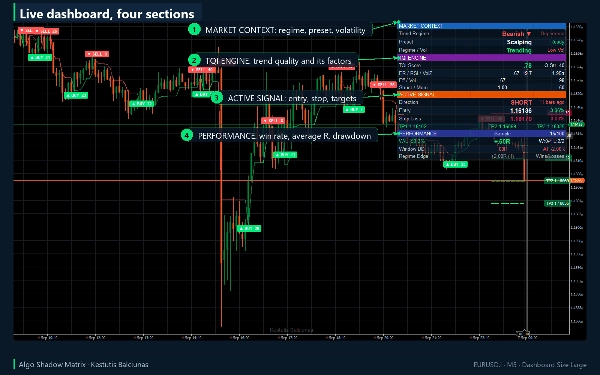
- Dashboard tiga kolom: konteks pasar (rezim tren, preset yang diselesaikan, efisiensi dan rezim volatilitas), mesin TQI dengan empat faktornya, sinyal aktif dengan entri, stop, target dan jarak dari entri dalam persen, serta buku kinerja dengan tingkat kemenangan bergulir, rata-rata R, drawdown dan keunggulan rezim saat ini.
- Peringatan sekali per bar tertutup (BELI, JUAL, sinyal apa pun, pergeseran bullish, pergeseran bearish) sebagai teks biasa atau JSON, dikirim ke log cTrader, suara pilihan Anda dan email melalui pengaturan cTrader sendiri.
Cara berdagang dengannya
1. Tambahkan ke grafik dan tunggu dashboard menunjukkan Siap. Dibutuhkan 50 bar riwayat dengan pengaturan default (jendela lookback yang lebih panjang memperpanjang ini) dan tidak menggambar apa pun sebelum itu; baris Preset menghitung mundur bar sampai membaca Siap.
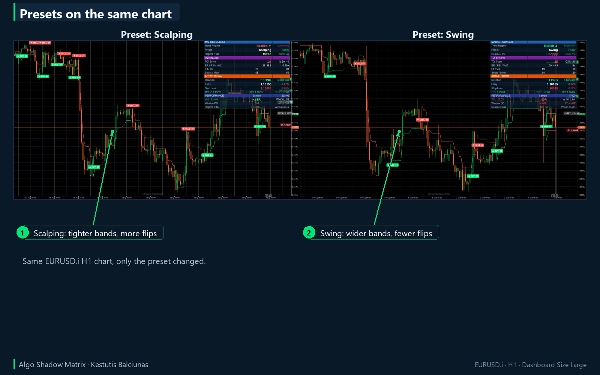
2. Biarkan Preset pada Auto: Scalping diselesaikan pada M5 dan di bawahnya, Default hingga H4, Swing di atasnya. Pilih Crypto 24/7 atau Custom secara manual.
3. Pil adalah pembalikan yang dikonfirmasi pada penutupan bar. Baca skornya dan baris TQI: skor tinggi berarti momentum, efisiensi, volume, kedalaman RSI, struktur dan kedalaman break setuju; TQI tinggi berarti tren yang baru saja berakhir bersih, sehingga tren baru dimulai dari perubahan karakter yang nyata.
4. Periksa buku besar sebelum bertindak: tingkat kemenangan bergulir, rata-rata R dan keunggulan sel efisiensi dan volatilitas saat ini memberi tahu Anda bagaimana sinyal terakhir di jenis pasar ini berjalan.
5. Gunakan level yang digambar apa adanya atau sebagai template: Buffer SL 1,5 x ATR di bawah pivot terakhir, TP1 pada 1R, TP2 pada 2R, TP3 pada 3R, Batas Waktu Perdagangan 100 bar.
6. Nyalakan peringatan yang Anda inginkan. BELI dan JUAL dengan suara aktif secara default; email mati sampai Anda memasukkan alamatnya.
Pengaturan utama
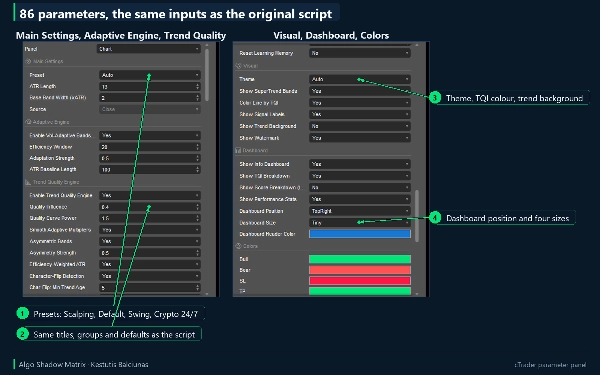
86 parameter dalam sebelas grup. 71 input dari skrip asli mempertahankan judul, grup, urutan, dan defaultnya; 15 hanya untuk cTrader.
- Pengaturan Utama: Preset, Panjang ATR 13, Lebar Pita Dasar 2,0 x ATR, Sumber.
- Mesin Adaptif dan Mesin Kualitas Tren: jendela efisiensi 20, kekuatan adaptasi 0,5, pengaruh kualitas 0,4, kekuatan kurva 1,5, pita asimetris, deteksi pembalikan karakter, bobot empat faktor.
- Filter Sinyal: kekuatan pivot 3, RSI 14 dengan level 70/30, jendela z-volume 20.
- Manajemen Risiko: buffer SL 1,5 x ATR, TP1/TP2/TP3 pada 1R/2R/3R, offset label, penandaan hit, batas waktu perdagangan 100 bar.
- Pembelajaran Mandiri: kalibrasi otomatis eksperimental kekuatan kualitas, mati secara default.
- Visual dan Dashboard: tema gelap atau terang, pewarnaan TQI, latar belakang tren, watermark, posisi dashboard dan empat ukuran, warna.
- Peringatan dan cTrader: toggle per event, suara, email, format JSON, gaya marker, label caps, mode memori skor RSI, log debug.
Jenis indikator, periode, instrumen, kasus penggunaan
- Jenis indikator: tren, digambar di grafik utama, sinyal plus visualisasi.
- Cocok untuk simbol forex populer; juga berjalan pada indeks, logam, energi dan crypto (preset Crypto 24/7). Simbol apa pun; faktor volume digunakan saat broker menyediakan volume.
- Dioptimalkan untuk periode M5 hingga H4; D1 dan di atasnya dengan preset Swing.
- Kompatibel dengan sistem mengikuti tren yang ada dan efektif sebagai alat analisis teknikal mandiri.
- Kasus penggunaan: entri tren pada pembalikan dengan skor terukur, penempatan stop berbasis struktur, pengambilan keuntungan bertahap pada 1R/2R/3R, konfirmasi bias timeframe lebih tinggi, dan memberi makan cBot melalui output Marker Sinyal tersembunyi (+1 beli, -1 jual, 0 tidak ada).
Untuk siapa ini
Trader diskresioner dan semi-sistematis yang sudah menggunakan metode Supertrend atau trailing ATR dan ingin mengetahui seberapa kuat setiap pembalikan sebelum bertindak. Ini adalah alat analisis, bukan robot trading: tidak pernah menempatkan, memodifikasi, atau menutup order.
Terverifikasi terhadap versi asli
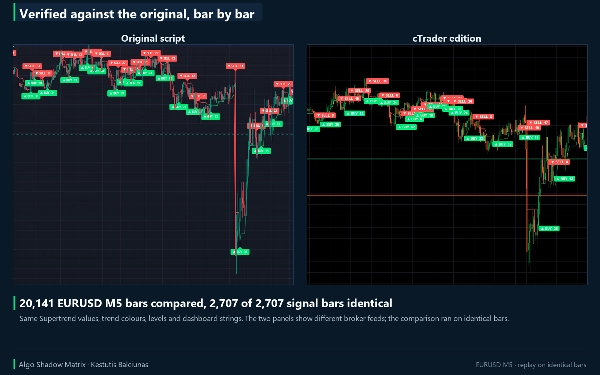
Ini adalah edisi cTrader dari indikator TradingView saya sendiri, ditulis dalam C# pada API cAlgo. Ini diputar ulang pada 20.141 bar EURUSD M5 identik: 55 seri internal sama, 2.707 dari 2.707 sinyal pada bar yang sama, semua 499 label, 5 garis level dan 15 baris dashboard identik. Dua label skor berbeda hingga 5 poin karena konstruksi perilaku tak terdefinisi di sisi TradingView; mode ketat disertakan.
Versi percobaan: apa yang Anda dapatkan dengan versi penuh
Versi percobaan adalah build yang sama persis ini terbatas pada EURUSD (sufiks broker seperti EURUSD.i diterima), tanpa batas waktu dan semua parameter tersedia. Pada simbol lain akan menampilkan pemberitahuan sebagai pengganti indikator. Versi penuh menghapus kunci simbol: setiap pasangan forex, indeks, logam, energi dan simbol crypto yang ditawarkan broker Anda, dengan sinyal, level, dashboard dan peringatan yang sama.
Catatan teknis dan keterbatasan
- Pil sinyal dan level ditempatkan pada penutupan bar dan tidak dicat ulang. Nilai garis dan bayangan bar saat ini diperbarui sampai bar tersebut ditutup.
- Peringatan hanya aktif untuk bar yang ditutup setelah indikator aktif; lintasan riwayat tidak pernah memberi peringatan. Email membutuhkan pengaturan email cTrader.
- Buku kinerja adalah pembukuan R hipotetis dari sinyal indikator sendiri pada riwayat yang dimuat: entri pada penutupan sinyal, keluar pada stop, target ketiga atau batas waktu, pengambilan parsial pada dua target pertama, tanpa spread, komisi atau slippage.
- Grafik menyimpan 300 label sinyal terbaru secara default (Max Signal Labels). Dengan Chart Shift aktif, label ENTRY, SL dan TP berada melewati bar terakhir; tanpa itu mereka ditempelkan di dalam tepi kanan.
- Sinyal pada grafik live berbeda dari grafik broker lain karena lilin berbeda; mesinnya identik pada bar yang identik.
- Persyaratan: cTrader 5.0 atau lebih baru, diuji pada cTrader Desktop 5.9 (indikator kustom berjalan di cTrader Windows dan Mac). Tidak ada akses jaringan, tidak ada akses file (Hak Akses: Tidak Ada).
Dukungan
Pertanyaan, laporan bug dan permintaan fitur: tab Diskusi di halaman ini atau Tanyakan penjual. Pembaruan gratis untuk pembeli dan tercantum dalam riwayat versi. Pengembalian dana mengikuti kebijakan uang kembali 14 hari Toko. Jika indikator membantu trading Anda, penilaian di halaman ini membantu trader lain menemukannya.
Trading melibatkan risiko. Kinerja masa lalu tidak menjamin hasil di masa depan.
Ringkasan
Key features include scored BUY/SELL signals on trend flips, each accompanied by an entry point, a structure-aware stop loss based on the last pivot plus an ATR buffer, and three take-profit targets at 1R, 2R, and 3R levels. Signals are tracked in a live performance ledger showing rolling win rate, average return (R), drawdown, and the edge of the current market regime. A three-column dashboard provides market context, TQI factor details, active signal information, and performance metrics.
Alerts for BUY, SELL, and market shifts can be delivered via cTrader’s log, sound, or email. The indicator supports multiple presets optimized for scalping, default, swing trading, and 24/7 crypto markets, and is suitable for forex, indices, metals, energies, and cryptocurrencies. It operates on M5 to H4 timeframes (D1 and above with swing preset) and integrates with existing trend-following systems or can be used standalone. It does not place or manage trades but serves as an analysis and decision-support tool.