
Description
━━━━━━━━━━━━━━━━━━━━━━━━━━━━━━━━━━━━━━━━
HTF Bias Panel — Bias
━━━━━━━━━━━━━━━━━━━━━━━━━━━━━━━━━━━━━━━━
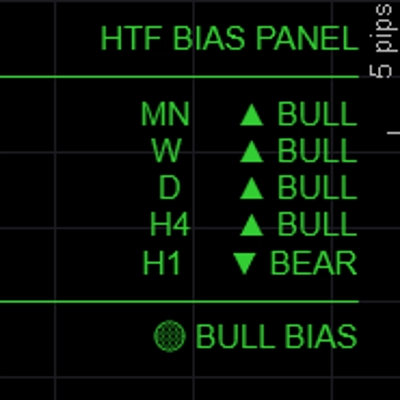
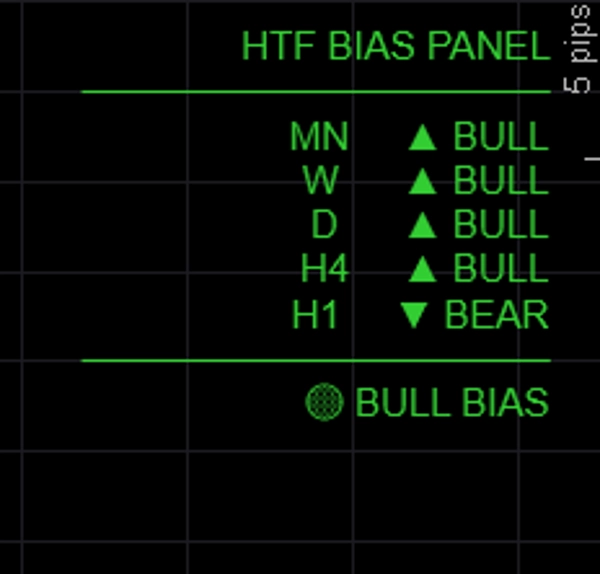
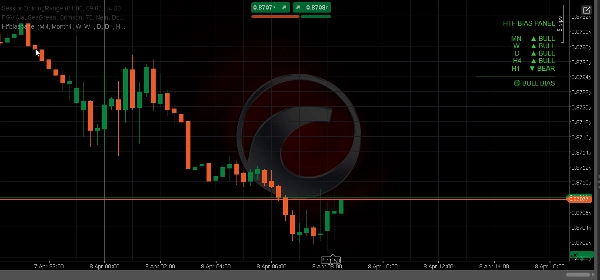
Shows the directional bias for up to five timeframes simultaneously in a clean on-chart panel — so you always know whether the higher timeframes are bullish, bearish, or mixed before entering a trade.
─────────────────────────────
KEY FEATURES
► 5 fully configurable timeframes — default MN / W / D / H4 / H1, all labels and TFs customizable
► Three bias methods — choose how bias is determined per session:
• EMA: close above/below EMA(50) → most reliable for trend following
• Price vs Last Close: current close vs previous close → reactive, momentum-based
• BOS: recent range vs prior range → structure-based bias
► Alignment summary — FULL BULL / FULL BEAR / BULL BIAS / BEAR BIAS / NEUTRAL shown at bottom of panel
► Color-coded output — green for bullish, red for bearish, gray for neutral
► Panel position — place top-left, top-right, top-center, bottom-left, or bottom-right
► Fully customizable colors for bullish, bearish, and neutral states
► Lightweight — no chart drawings, no rectangles, no overhead
─────────────────────────────
BIAS METHODS EXPLAINED
→ EMA (default): Bullish if close > EMA(period). Most stable, ignores short-term noise.
→ Price vs Last Close: Bullish if current bar close > previous bar close. Fast and reactive.
→ BOS: Compares recent N-bar range to prior N-bar range. Bullish if higher highs and higher lows.
─────────────────────────────
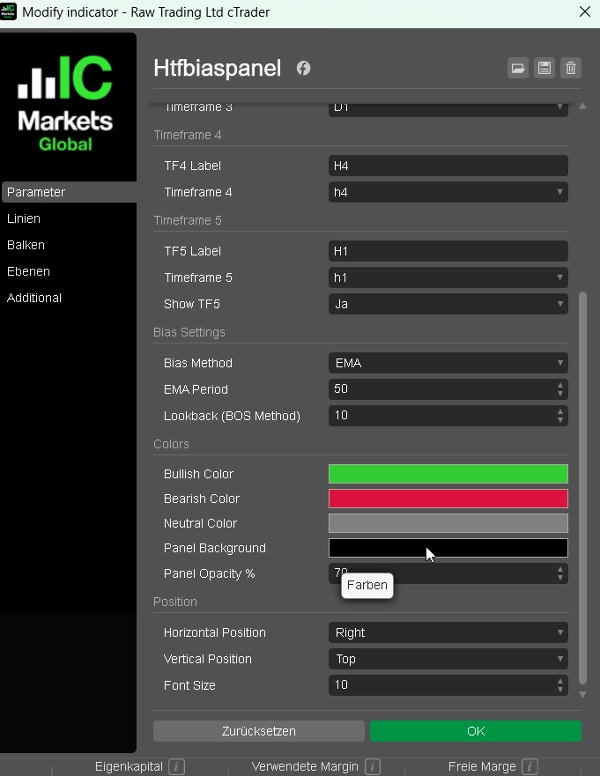
DEFAULT SETTINGS
→ TF1 Monthly (MN)
→ TF2 Weekly (W)
→ TF3 Daily (D)
→ TF4 H4
→ TF5 H1 (toggleable)
→ Bias Method EMA
→ EMA Period 50
→ Bull Color LimeGreen
→ Bear Color Crimson
→ Position Top Left
─────────────────────────────
HOW TO USE
1. Add the panel to any chart
2. Choose your preferred bias method (EMA recommended for beginners)
3. Check the alignment summary before entering a trade — only take longs when BULL BIAS or FULL BULL
4. Use HTF bias to filter signals from your BOS/CHoCH or FVG indicator — only trade in the direction confirmed by the panel
5. Adjust timeframes to match your trading style (e.g. D / H4 / H1 / M15 / M5 for scalpers)
─────────────────────────────
IDEAL FOR
✔ ICT and Smart Money Concepts traders needing quick top-down analysis
✔ Multi-timeframe traders who want a fast visual bias check
✔ FTMO and prop firm traders who need to trade with confluence
✔ Any trader who wants to avoid trading against the higher timeframe trend
✔ Forex, Gold, Indices, and Crypto CFD traders
─────────────────────────────
COMPATIBILITY
→ Platform cTrader (Desktop & Web)
→ Asset classes Forex, Indices, Commodities, Crypto CFDs
→ Timeframes All (M1 to MN)
→ Access Rights None required
→ Account type Live & Demo
━━━━━━━━━━━━━━━━━━━━━━━━━━━━━━━━━━━━━━━━
Summary
Customer reviews
5 | 67 % | |
4 | 33 % | |
3 | 0 % | |
2 | 0 % | |
1 | 0 % |


!["Gaussian Channel [Iridio Capital]" logo](https://cdn.ctrader.com/image/webp/2c4f9ca9-4e9b-476d-b5a6-787c8095032b_61546)