Mô tả
Nếu thị trường tiếp tục di chuyển theo hướng mới này, vào một thời điểm nào đó lợi nhuận từ giao dịch ngược chiều sẽ vượt qua khoản lỗ từ giao dịch ban đầu, lúc đó bạn có thể đóng cả hai giao dịch.
Nếu thị trường quay trở lại hướng trước đó, giao dịch đối nghịch với kích thước lot lớn hơn sẽ tích lũy lỗ nhanh hơn so với lợi nhuận của giao dịch ban đầu. Trong tình huống này, chúng ta mở một giao dịch khác theo hướng ban đầu, nhờ đó giao dịch ban đầu và giao dịch thứ ba cùng nhau sẽ lớn hơn giao dịch thứ hai.
Chiến lược phòng ngừa rủi ro qua lại này có thể tiếp tục cho đến khi hành động giá phá vỡ theo một trong hai hướng.
Cách sử dụng Chỉ báo Phục hồi Vùng
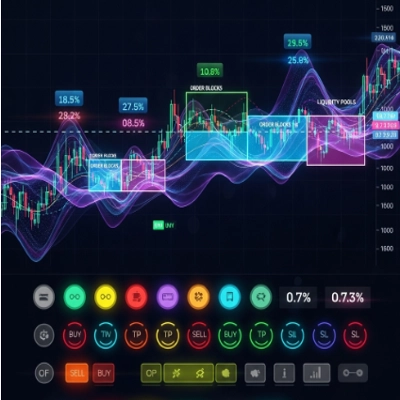
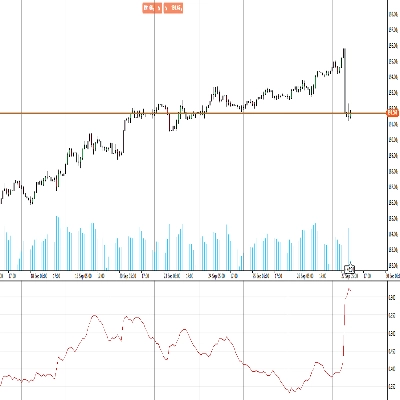
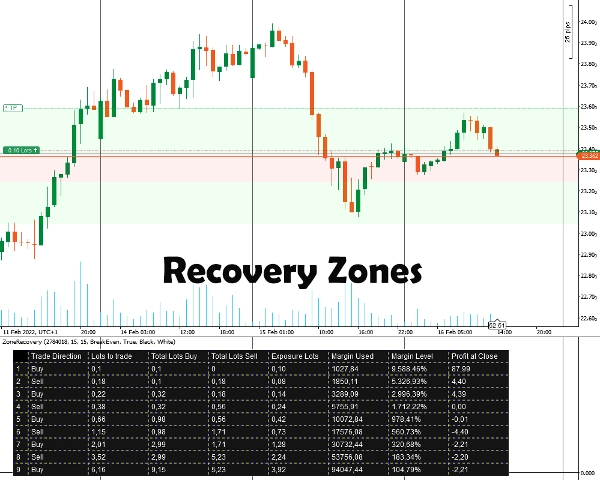
Đầu tiên, bạn phải nhập ID Vị trí mà bạn muốn phòng ngừa rủi ro. Vị trí phải có mục tiêu lợi nhuận. Sau đó, bạn chọn kích thước Phục hồi Vùng bằng cách nhập số pip mà bạn tin rằng bạn phải bắt đầu phòng ngừa rủi ro. Chỉ báo sẽ hiển thị các vùng cũng như bảng cho chiến lược hoạt động.
Bạn sẽ phải tự đặt các lệnh, điểm dừng lỗ và mục tiêu chốt lời cho tất cả các vị trí tiếp theo.
Thông tin Quan trọng
Trước hết, tài khoản giao dịch của bạn phải là loại tài khoản có phòng ngừa rủi ro.
- Về cơ bản, đây là một chiến lược martingale đi kèm với các rủi ro. Nếu giao dịch ban đầu được mở trong thị trường đi ngang, điều này có thể nhanh chóng làm cạn kiệt ký quỹ của bạn. Bạn cần các công cụ có biến động/ xu hướng để có kết quả tốt hơn.
- Các công cụ giao dịch có hoa hồng thấp/ chênh lệch nhỏ sẽ hoạt động tốt hơn.
- Nếu giao dịch ban đầu được thực hiện với kích thước lot tối thiểu, các phép tính tiếp theo sẽ sai lệch nhẹ, do tính toán hoa hồng sai và làm tròn kích thước lot cho các giao dịch tương lai.
- Nếu bạn giao dịch một công cụ khác với tiền tệ tài khoản của bạn, tính toán ký quỹ sẽ hơi sai lệch do tỷ giá hối đoái liên tục thay đổi. (Ví dụ, tài khoản bằng EUR, mở vị trí bằng GBP/USD)
- Phí qua đêm không được tính đến.
Tùy chọn Chỉ báo
Chỉ báo cung cấp các tùy chọn dưới đây:
- ID Vị trí - ID vị trí mở mà bạn muốn tính bảng phòng ngừa rủi ro. Có thể nhập mà không cần “PID” ban đầu (chỉ nhập số).
- Pip Phục hồi Vùng - Số pip mà vùng phục hồi sẽ xem xét cho các phép tính. Vào cuối vùng phục hồi, các giao dịch theo hướng ngược lại với giao dịch ban đầu phải được mở.
- Chế độ Tính toán
Có hai chế độ: Hòa vốn và Lợi nhuận
Hòa vốn: Các phép tính sẽ cố gắng cung cấp kích thước lot để có lỗ bằng không hoặc tối thiểu khi tất cả các giao dịch được đóng. Giảm hao hụt ký quỹ chậm hơn.
Lợi nhuận: Các phép tính sẽ cố gắng cung cấp kích thước lot để đạt được mục tiêu lợi nhuận của giao dịch mở ban đầu. Hao hụt ký quỹ nhanh hơn. - Vẽ Khu vực Phục hồi Vùng - Chọn có nếu bạn muốn các khu vực Phục hồi Vùng được vẽ trên Biểu đồ.
- Màu Bảng / Màu Chữ - Tùy chọn màu sắc cho bảng phòng ngừa rủi ro.
Tóm tắt
Users input the Position ID of the trade to hedge and set a Zone Recovery size in pips, which defines when to start hedging. The indicator displays recovery zones and a strategy table, but users must manually place orders, stop losses, and take profit targets. It requires a hedging account type and is based on a martingale approach, best suited for volatile or trending markets with low commissions and spreads.
Key options include selecting the Position ID, setting Zone Recovery pips, choosing between BreakEven or Profit calculation modes (balancing margin use and profit targets), enabling zone area drawings on the chart, and customizing table colors. The tool supports markets including Forex (e.g., EURUSD) and commodities (e.g., XAUUSD).
Đánh giá của khách hàng
5 | 100 % | |
4 | 0 % | |
3 | 0 % | |
2 | 0 % | |
1 | 0 % |