Description
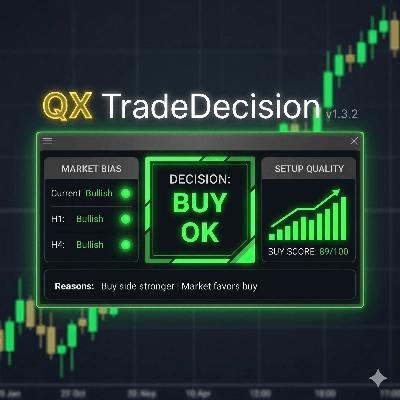
QX Trade Decision Panel is a professional decision-support indicator for cTrader, designed to help traders evaluate market context before taking a trade.
Instead of showing only raw technical data, the panel organizes the most important trading information into a fast, readable dashboard:
- Market Bias
- Buy Score
- Sell Score
- Preferred Side
- Setup Quality
- Trading Cost
- Final Decision
- Clear Reasons behind the reading
The goal is simple: help you understand whether the current market conditions favor buying, selling, waiting, or avoiding the trade because execution cost is too high.
QX Trade Decision Panel separates two important parts of the trading process:
1. Setup quality
The indicator evaluates directional alignment using the current timeframe, H1 and H4 bias. This creates separate Buy and Sell scores, making it easy to see which side is currently stronger.
2. Trading cost
The panel also evaluates execution conditions, including spread and relative trading cost. This prevents a strong-looking setup from being confused with a good trade entry when the cost of execution is unfavorable.
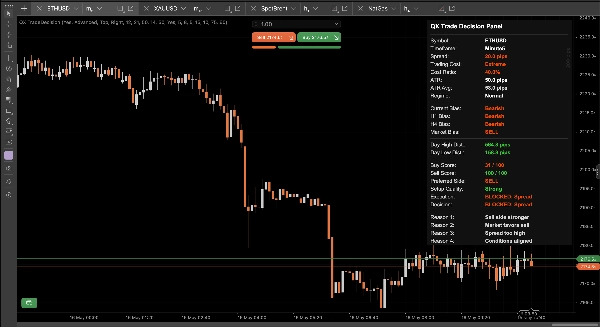
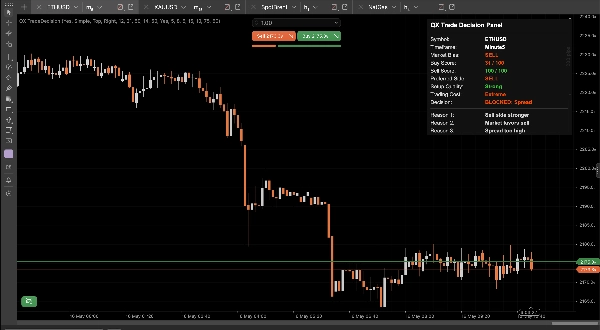
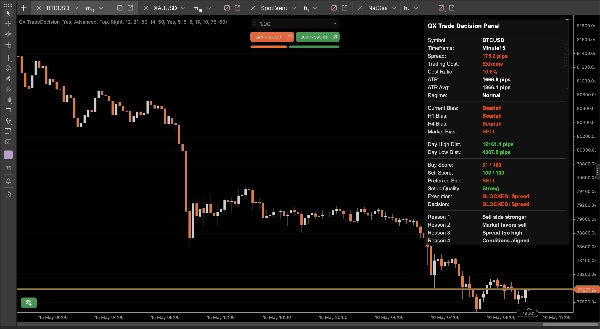
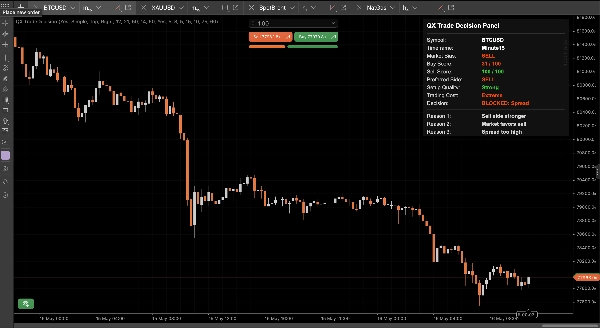
For example, the panel may show a strong Sell Score while still displaying “BLOCKED: Spread” if the spread is too high. This helps the trader understand that the direction may be valid, but the execution condition is not acceptable.
Main features:
- Clean Simple Mode for fast decision-making
- Advanced Mode for deeper technical context
- Separate Buy Score and Sell Score
- Market Bias based on multiple timeframes
- Preferred Side: Buy, Sell or Wait
- Setup Quality: Strong, Good, Caution, Weak or No Edge
- Trading Cost: Low, Normal, High or Extreme
- Final decision such as BUY OK, SELL CAUTION, WAIT, BLOCKED: Spread or BLOCKED: Cost
- Clear reasons explaining the panel’s reading
- Spread filter with optional absolute spread control
- Cost-based execution awareness using volatility context
- Designed for discretionary traders who want faster, cleaner trade context
Simple Mode focuses on the essentials, giving traders a fast operational view without overwhelming the chart.
Advanced Mode displays additional details such as spread, cost ratio, ATR, ATR average, current bias, H1 bias, H4 bias, day high distance and day low distance.
QX Trade Decision Panel does not open, modify or close trades. It is not an automated trading robot. It is a visual decision-support tool designed to improve situational awareness, reduce impulsive decisions and make trade context easier to read.
It can be used across different symbols and timeframes, including forex, gold, indices, crypto and commodities. Parameters are adjustable so traders can adapt the panel to their own execution standards, spread tolerance and trading style.
Use it to quickly answer key questions before entering a trade:
- Is the market currently favoring buy or sell?
- Which side has the stronger score?
- Is the setup quality strong enough?
- Is the trading cost acceptable?
- Is the trade OK, cautionary, blocked or better avoided?
- What are the main reasons behind the decision?
QX Trade Decision Panel is built for traders who want a clean, structured and professional way to evaluate trade conditions directly on the chart.
Summary
The indicator separates trade evaluation into two main components: setup quality and trading cost. Setup quality is assessed by analyzing directional alignment across the current timeframe, H1, and H4 biases, generating distinct Buy and Sell scores. Trading cost evaluation includes spread and relative execution cost, helping traders avoid entries when costs are unfavorable despite strong directional signals.
QX TradeDecision offers two modes: Simple Mode for quick, essential insights and Advanced Mode for detailed technical context, including spread, cost ratio, ATR, and bias across multiple timeframes. It supports various markets such as forex, gold, indices, cryptocurrencies, and commodities, and is adaptable to different trading styles and execution standards.
This tool does not execute trades but enhances situational awareness by providing a fast, professional overview of trade viability, helping traders decide whether to buy, sell, wait, or avoid a trade based on comprehensive market and cost analysis.
Discussion
Customer reviews
5 | 50 % | |
4 | 50 % | |
3 | 0 % | |
2 | 0 % | |
1 | 0 % |