
Descripción
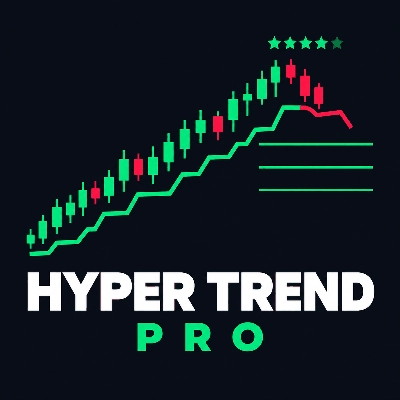
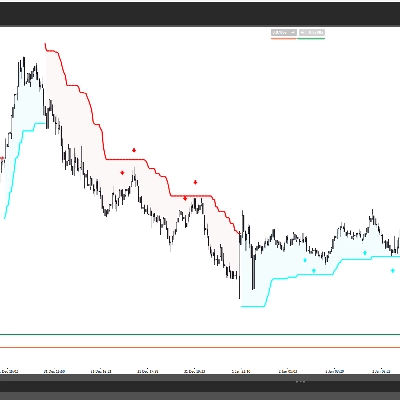
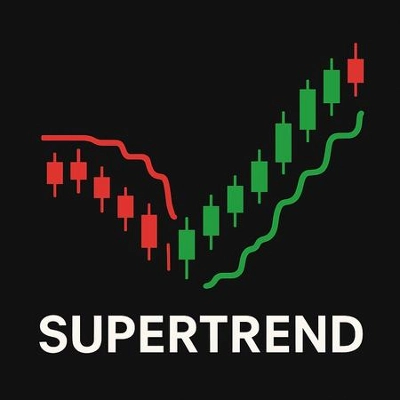
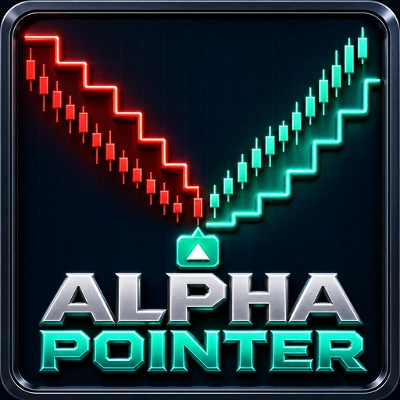
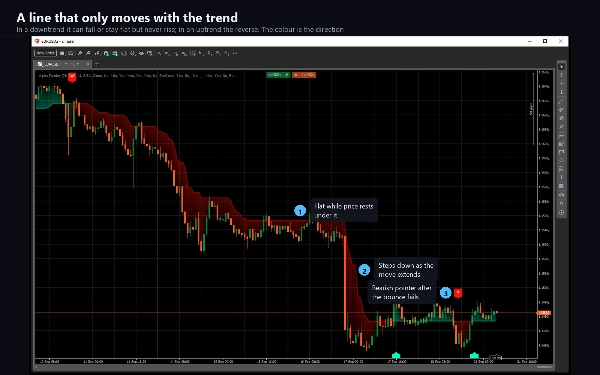
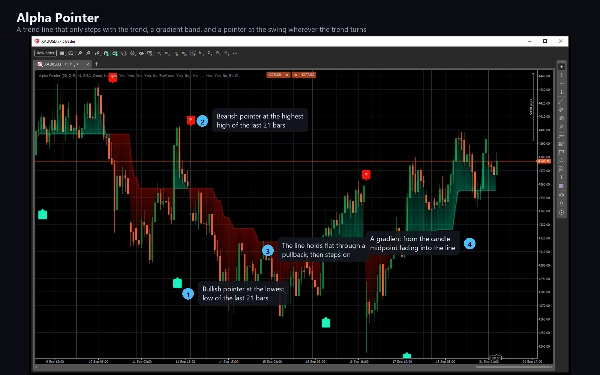
Alpha Pointer coloca una línea en el gráfico que solo se mueve con la tendencia.
Cada barra mide el rango verdadero promedio y establece un nivel debajo de la barra en una tendencia alcista, o sobre la barra en una tendencia bajista. El lado que utiliza lo decide el Índice de Canal de Mercancías. Mientras el impulso es positivo, el nivel sigue el precio hacia arriba y nunca cae; mientras el impulso es negativo, sigue el precio hacia abajo y nunca sube. El resultado es una línea escalonada en la que puedes apoyarte: mientras se mantenga, el movimiento que la construyó está intacto.
LO QUE VES
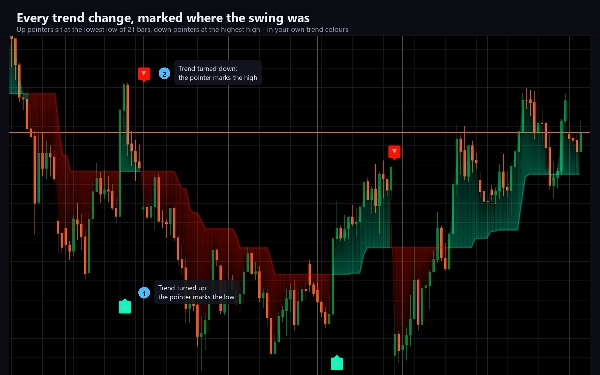
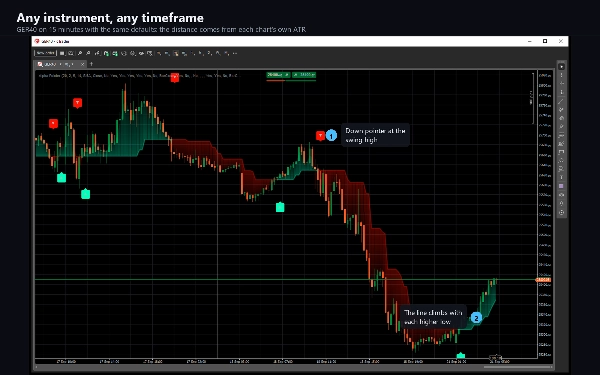
Una línea de tendencia escalonada, en tu color alcista o bajista.
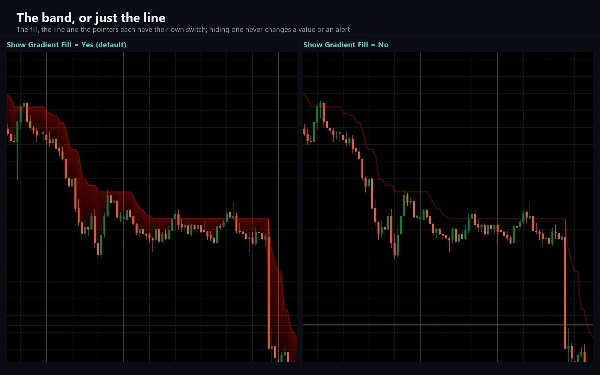
Una banda sombreada entre esa línea y el centro de cada barra, tenue en la barra y más fuerte en la línea, para que la distancia que ha recorrido el precio sea legible de un vistazo.
Un indicador en la barra donde la tendencia gira, colocado en el mínimo más bajo o el máximo más alto de las últimas 21 barras, que es donde comenzó el movimiento.
CÓMO USARLO
La línea es la tendencia y un nivel contra el cual operar: mientras el precio se mantenga por encima, los compradores están en control, y por debajo, los vendedores. Un indicador marca el giro en sí, por lo que es un lugar para comenzar a buscar una entrada, no una entrada en sí misma. Un tramo largo y plano de la línea significa que el precio está oscilando dentro de la banda y no hay nada en qué apoyarse.
AJUSTES
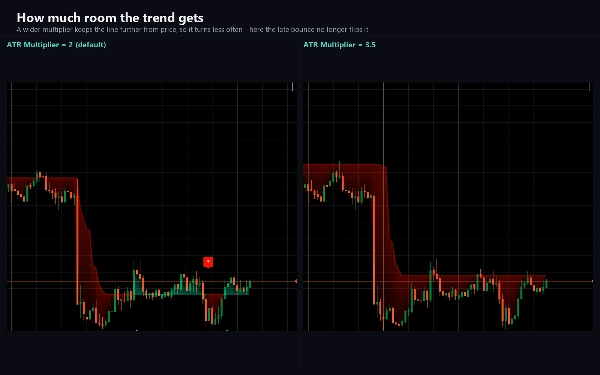
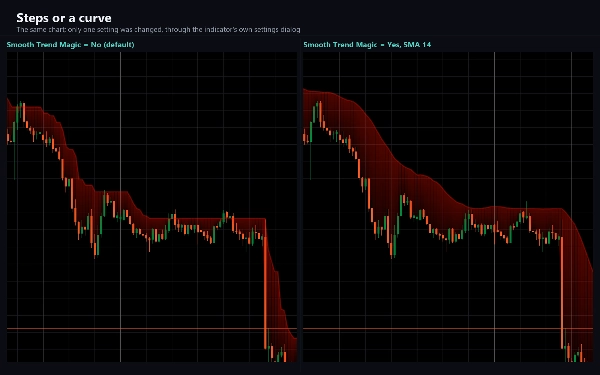
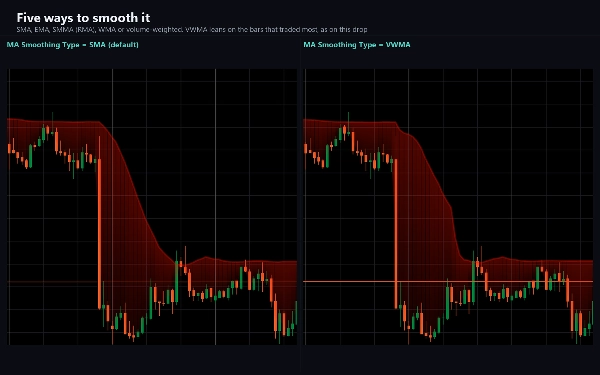
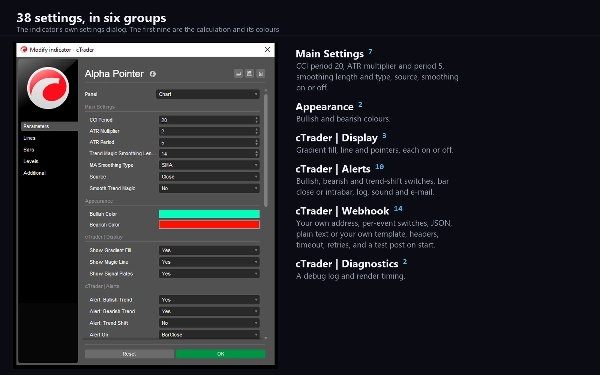
El Periodo CCI, el Periodo ATR y el Multiplicador ATR determinan qué tan lejos se sitúa la línea del precio y con qué facilidad gira. Smooth Trend Magic pasa la línea por una media móvil de tu elección - SMA, EMA, SMMA, WMA o VWMA - lo que da una línea más suave que gira más tarde. Ambos colores son tuyos. La banda, la línea y los indicadores tienen cada uno un interruptor, y apagar cualquiera de ellos solo cambia el dibujo: los valores, alertas y webhook continúan.
ALERTAS Y WEBHOOK
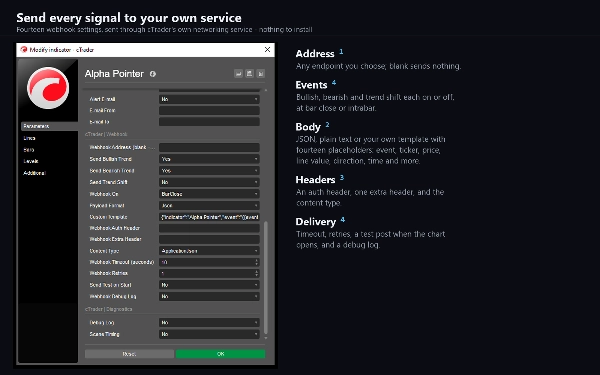
Tres eventos: un giro hacia arriba, un giro hacia abajo y cualquier cambio de dirección. Cada uno tiene su propio interruptor y puede activarse cuando la barra cierra o tan pronto como se cumple la condición. La entrega puede ser una línea de registro, un sonido o un correo electrónico. También hay un webhook: introduce una dirección y cada evento se publica en ella como JSON, texto plano o en una plantilla que escribas tú mismo con marcadores para el símbolo, marco temporal, hora, precios, la línea y la dirección. Permanece apagado hasta que ingreses uno, no envía nada durante el pase de historial o en una prueba retrospectiva, y no necesita derechos de acceso especiales: las publicaciones se envían a través del servicio de red propio de cTrader.
TIPO Y VENTANA
Un indicador de tendencia, dibujado en el gráfico de precios.
MARCO TEMPORAL E INSTRUMENTOS
Cualquier marco temporal basado en tiempo. M15 y superiores se adaptan a los valores predeterminados; en M1 y M5 reduce el Periodo CCI o aumenta el Multiplicador ATR para que la línea gire con menos frecuencia. Funciona en cualquier instrumento - pares de divisas, metales, índices y criptomonedas - porque todo lo que usa se deriva de las barras mismas.
PARA QUIÉN ES
Traders que siguen una tendencia y quieren un nivel claro para ella, con un marcador en cada giro y una alerta cuando eso sucede.
NOTAS
Todo en el gráfico sigue la barra que aún se está formando, por lo que la línea, la banda y un indicador pueden cambiar hasta que esa barra cierre. Las alertas y publicaciones webhook predeterminan el cierre de la barra, donde la condición es definitiva. En un gráfico nuevo, la línea puede descansar en cero hasta que el impulso gire por primera vez a positivo; desplázate hacia atrás o espera el primer giro y toma su lugar normal.
El trading implica riesgos. El rendimiento pasado no garantiza resultados futuros.
Resumen
Users can customize settings such as CCI period, ATR period, ATR multiplier, and smoothing methods (SMA, EMA, SMMA, WMA, VWMA) to adjust the line’s sensitivity and appearance. The indicator supports alerts and webhook notifications for trend turns and direction changes, configurable to trigger on bar close or immediately when conditions occur. Alpha Pointer serves as a clear visual guide for traders to identify trend direction and key levels to trade against, with the trend line acting as support or resistance depending on price position.
Conversación
Valoraciones de clientes
5 | 100 % | |
4 | 0 % | |
3 | 0 % | |
2 | 0 % | |
1 | 0 % |