
Opis
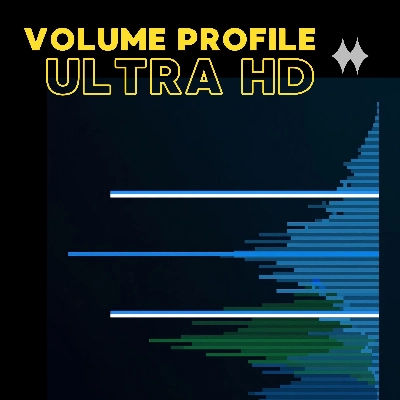
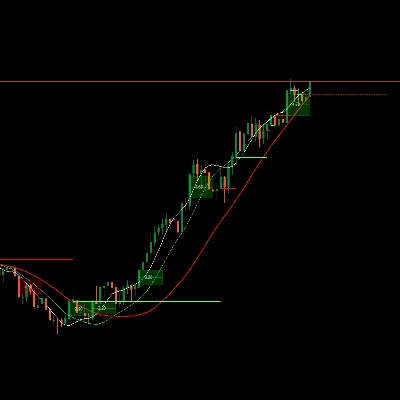
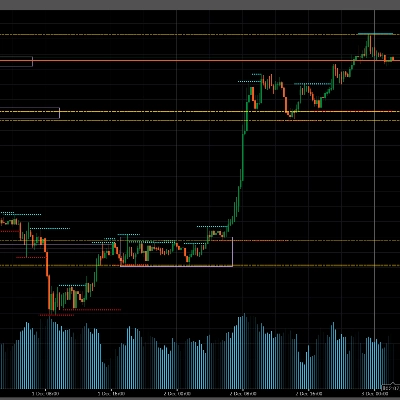
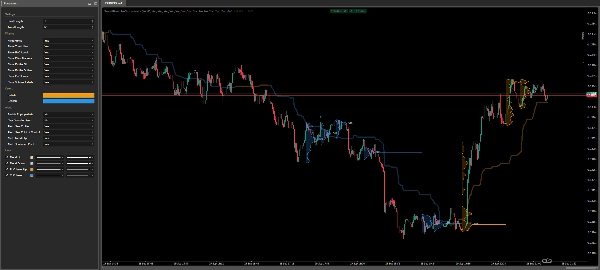
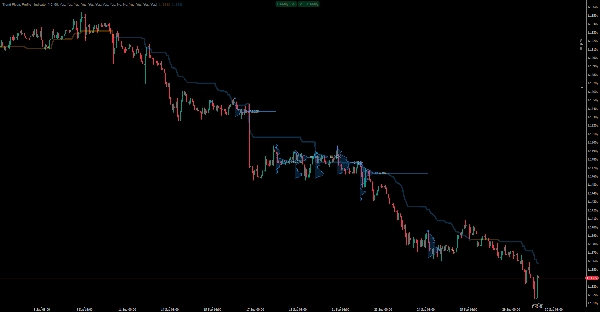
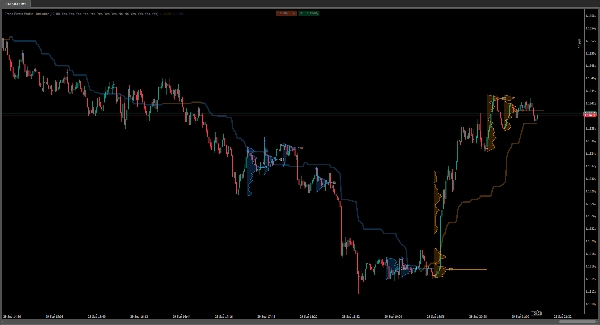
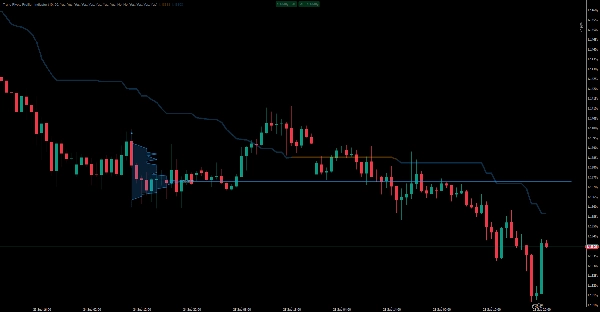
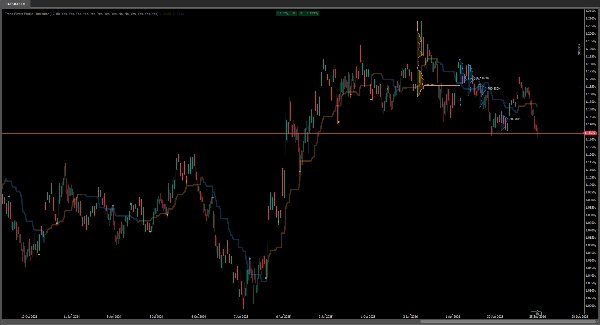
Trend Pivots Profile is a volume profile indicator for cTrader. It builds a tick-volume profile around each confirmed price pivot that clears the spacing rule, and marks the busiest price band in that profile - the Point of Control, or POC - so you can see where volume actually collected before you act, instead of inferring it from a line. A colour-coded range midline shows which side of the market the window favours, and a dot marks the pivot each profile is anchored to. It is an overlay: it asks for no account access and pulls in no third-party feed, only more bar history for the symbol you are already charting, which cTrader serves from your own broker.
BEST SUITED TO
History, not time frame. Row height comes from ATR(200) and each new profile needs at least 11 bars of clearance, so the first profile cannot exist before the 200th bar and the 25-profile limit is reached inside a few hundred bars. On M15 and above that is a small share of the chart; on M1 and M5 it is most of it, and a higher Pivot Length is worth setting. Any time frame works, because the profile is drawn from bar data and the intrabar source is chosen automatically.
Instruments: any symbol your broker supplies volume for. That means gold and XAUUSD, the major FX pairs, indices such as NAS100 and US500, and crypto CFDs. Volume here is tick volume, so on markets without a central volume tape the profile shows where activity clustered by tick count rather than a real traded quantity.
Trading use cases: reading the POC as the price a range actually centred on; checking whether price accepted the previous profile's Point of Control; spotting the volume band forming after a trend flip; and reading a swing high or swing low as a confirmed structure point before deciding the next level. It is a visual decision-support tool and it does not open, close or manage positions.
KEY FEATURES
- Profiles anchored to confirmed pivots, not to new ones: a pivot needs Pivot Length bars on each side, so it is known Pivot Length bars after the fact and a profile is never re-anchored to a different bar.
- Adaptive binning. Row height is ATR(200) x 0.1, so the number of price rows follows the range: more rows in quiet conditions, fewer when the market expands. A profile needing more than 1000 rows is skipped instead of drawing thousands of objects.
- Point of Control with truncation. The POC line runs five bars past the newest bar, and when the next profile arrives the previous profile's line is trimmed back to that profile's pivot bar.
- Honest volume spread. Every intrabar close adds its volume to each row whose centre lies within two row heights, so one price is smeared across roughly five rows. Read the POC as a band, not a single tick.
- Regime state. A bar that owns the window high sets the state up; otherwise a bar that owns the window low sets it down; a bar that owns neither changes nothing. When one bar owns both, up wins. Up is orange, down is blue, and both colours are editable.
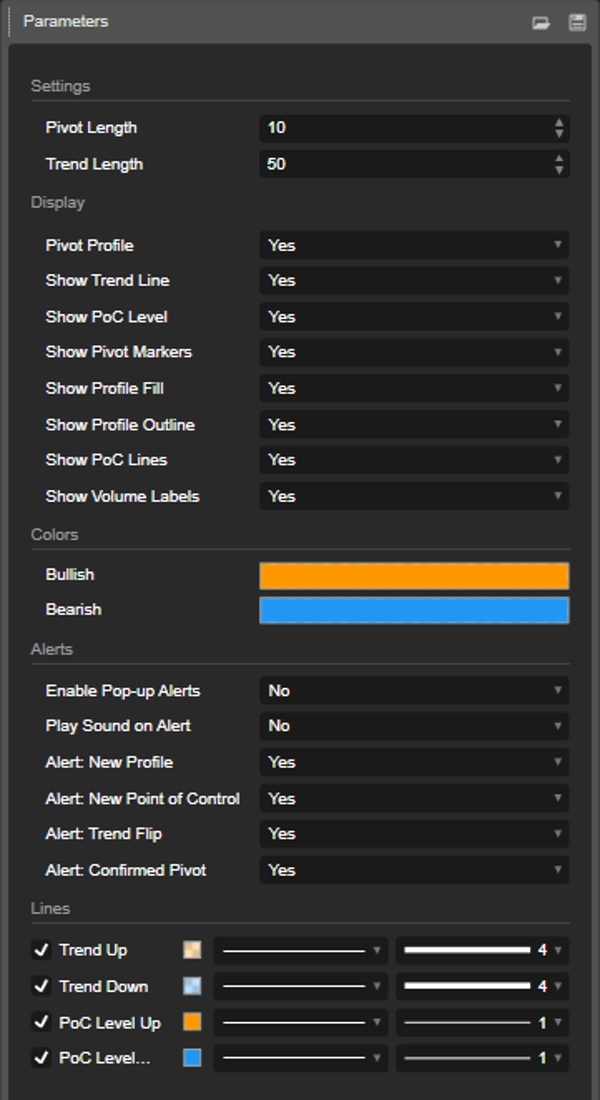
- Eight display switches, all on by default, so the chart opens with every element the indicator was designed to draw.
- Four alert types with independent pop-up and sound channels, both switched off until you turn them on.
INPUTS
- Pivot Length (default 10). This one value does three jobs: the pivot window, the maximum width of a profile row, and the minimum spacing between profiles. Pivots closer together than that spacing do not get a profile. Moving it from 10 to 5 halves every row and roughly doubles how many profiles appear.
- Trend Length (default 50). The window behind the range midline.
- Up to 25 profiles stay on the chart. The oldest is removed together with its fill, outline, pivot dot, POC line and volume label.
HOW TO READ IT
- Orange (Bullish): the newest bar set the highest high of the Trend Length window. Blue (Bearish): it set the lowest low. The midline is the average of those two extremes and appears only once the window is full.
- The filled body is one row per price bin, with row width scaled so the fullest row spans Pivot Length bars. A gap inside a profile means that row collected less than one PivotLength-th of the fullest row's volume and rounds to zero width. It does not mean the price level is absent.
- The Point of Control is the first row whose volume equals the fullest row's. Its line carries that row's volume, abbreviated in K, M, B or T from a thousand upwards, in the chart's own text colour, which is not a parameter.
- The pivot dot sits below a pivot low in an up state and above a pivot high in a down state.
- The POC value appears in the chart data window only while Pivot Profile is off and Show PoC Level is on, because with profiles on the level is drawn as an object instead.
ALERTS & NOTIFICATIONS
- Enable Pop-up Alerts and Play Sound on Alert are independent and both ship switched off, so you can take visual alerts, audio alerts or both. Neither channel depends on the other.
- Four event switches then decide what is live, each on by default: Confirmed Pivot, New Profile, New Point of Control and Trend Flip.
- Trend Flip: the bar changed the side of the market. It is the only state change, so it leads the message order.
- Confirmed Pivot: a pivot was confirmed and cleared the spacing from the previous profile, and a profile was built on it. This is the Reversal signal of the product: a confirmed swing high or swing low, with the direction and the pivot price in the message.
- New Profile: a profile that actually drew, so at least two rows. The message gives the row count.
- New Point of Control: the profile found its fullest band. The message gives the price and that row's volume.
Every event is filtered by the switch that draws it, so nothing ever reports something you have hidden and the alert stream follows the display choices. Trend Flip needs Show Trend Line. Confirmed Pivot needs Pivot Profile and Show Pivot Markers. New Profile needs Pivot Profile plus Show Profile Outline, and from three rows up either the fill or the outline. New Point of Control needs Pivot Profile plus Show PoC Lines or Show Volume Labels.
Alerts fire only for the bar that has just closed, never for the bar still forming, and at most once per event per bar however many ticks arrive. They stay silent while history is calculated, on a history reload and on the first pass after you attach the indicator. The two events that do not need intrabar data, Trend Flip and Confirmed Pivot, can fire before the first volume profile appears, while intrabar history is still loading.
Pop-up state and sound follow the state colour: a success pop-up and a positive notification when the state is up, an error pop-up and a negative notification when it is down. Message content is the event, its values, the direction written out, the symbol, the time frame and the bar time in UTC.
Podsumowanie
Key features include adaptive binning based on ATR(200), a color-coded range midline indicating market bias (orange for bullish, blue for bearish), pivot dots marking anchor points, and closed-bar alerts for events such as confirmed pivots, new profiles, POC updates, and trend flips. Profiles are limited to 25 on the chart, with each profile requiring a minimum number of bars for confirmation.
The indicator supports any symbol with available volume data, including major FX pairs, gold (XAUUSD), indices (e.g., NAS100, US500), and crypto CFDs. Volume is represented as tick volume, reflecting activity clustering rather than exact traded quantities on markets without centralized volume data.
Inputs allow customization of pivot length and trend length, affecting profile spacing and display. Alerts provide visual and audio notifications for key events, filtered by display settings. This tool aids traders in identifying key volume-based support and resistance levels, market structure, and potential reversal points without executing trades.