Description
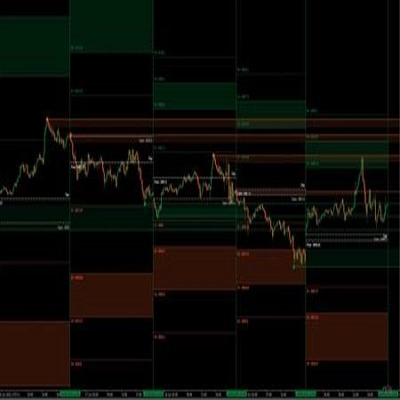
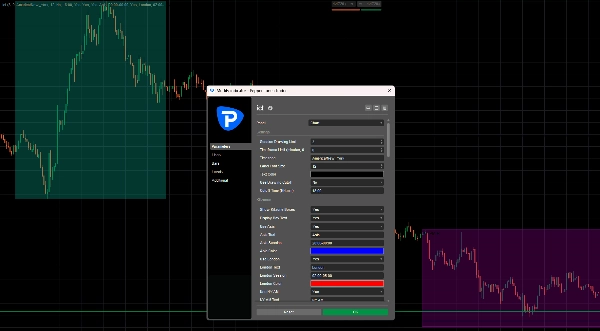
Killzone Levels Suite is a complete session-based chart tool for cTrader, designed to help traders clearly visualize important trading sessions, session highs and lows, opening prices, timestamps, and daily/weekly/monthly reference levels directly on the main price chart.
The indicator focuses on market timing and key price levels, making it useful for traders who want a cleaner view of session structure, liquidity areas, and important price reference points throughout the trading day.
Description
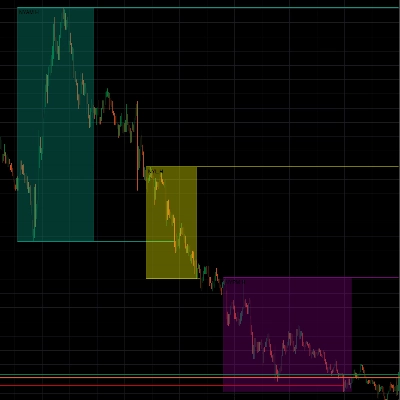
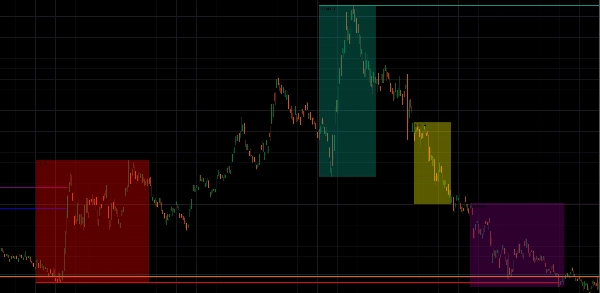
Killzone Levels Suite draws customizable killzone boxes for major market sessions such as Asia, London, New York AM, New York Lunch, and New York PM.
For each enabled session, the indicator can track and display the session high, session low, and optional midpoint. These levels can extend forward on the chart and can stop once price mitigates or trades through them, depending on your settings.
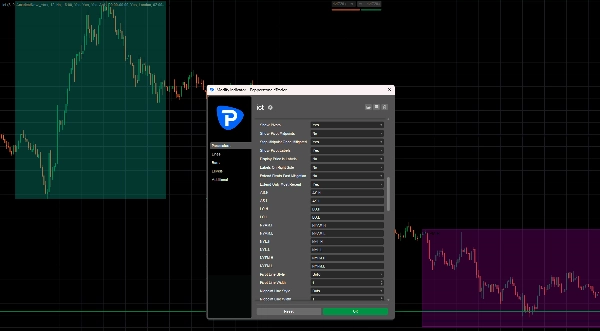
The indicator also includes additional tools such as custom opening price lines, vertical timestamp markers, day/week/month opens, previous highs and lows, day separators, week separators, month separators, and an optional killzone range panel.
This makes it a full session and level mapping tool for traders who want to keep important intraday and higher-timeframe levels visible without manually drawing them.
How It Works
The indicator uses your selected timezone to calculate all sessions and timestamps.
By default, it can be set to America/New_York, which is commonly used for session-based trading.
You can enable or disable each killzone separately:
AsiaLondonNY AMNY LunchNY PM
When a killzone starts, the indicator creates a session box on the chart. While the session is active, the box updates automatically as price makes a new session high or session low.
After the session ends, the indicator can keep the session high and low levels extended forward. These levels can act as important reference points where price may react, sweep liquidity, or return for mitigation.
Killzone Highs, Lows, and Midpoints
For each enabled killzone, the indicator can draw:
Session HighSession LowSession Midpoint
The high and low represent the full price range created during that specific session.
The midpoint marks the 50% level of the session range. This can be useful for identifying balance areas, retracement zones, or possible reaction points.
You can choose whether midpoint lines should continue extending or stop once price touches them.
Opening Prices
Killzone Levels Suite also includes customizable opening price lines.
You can enable up to 3 custom opening levels, such as:
True Day Open06:00 Open10:00 Open
Each opening line is based on the first candle open inside the selected time window.
The line can extend forward on the chart, giving you a clear reference for how price is trading relative to important open levels.
Timestamps
The indicator also supports up to 4 custom vertical timestamp markers.
These can be used to mark important moments during the trading day, such as:
MidnightLondon OpenNew York OpenNews windowSession transition
Each timestamp marker is drawn as a vertical line, making it easier to visually separate important time windows on the chart.
Daily, Weekly, and Monthly Levels
The indicator can also display higher-timeframe reference levels, including:
Daily OpenDaily High / LowDaily SeparatorsWeekly OpenWeekly High / LowWeekly SeparatorsMonthly OpenMonthly High / LowMonthly Separators
These levels help traders understand where current price is trading in relation to important daily, weekly, and monthly structure.
Killzone Range Panel
The optional range panel shows the current or recent killzone ranges.
It can also display an average range based on your selected average length.
This helps traders compare the current session range with recent session behavior.
For example, you can quickly see whether the current London or New York AM session is expanding more or less than usual.
Key Features
- Customizable Asia, London, NY AM, NY Lunch, and NY PM killzones
- Session boxes drawn directly on the chart
- Session high and low tracking
- Optional session midpoint levels
- Pivot labels for session highs and lows
- Optional price display in labels
- Extend levels forward after the session ends
- Option to stop levels after mitigation
- Custom timezone support
- Drawing limit control to keep the chart clean
- Optional drawing cutoff time
- Up to 3 custom opening price lines
- Up to 4 custom timestamp markers
- Daily, weekly, and monthly opens
- Daily, weekly, and monthly previous highs/lows
- Day, week, and month separators
- Optional day-of-week labels
- Optional killzone range panel with average range
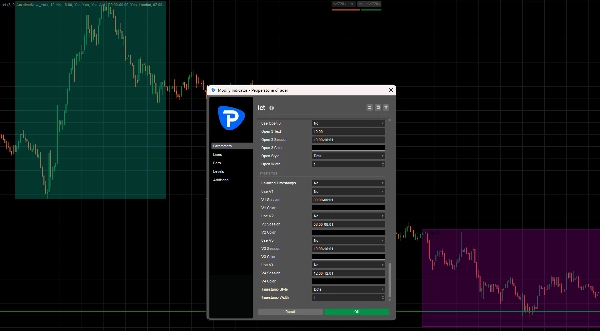
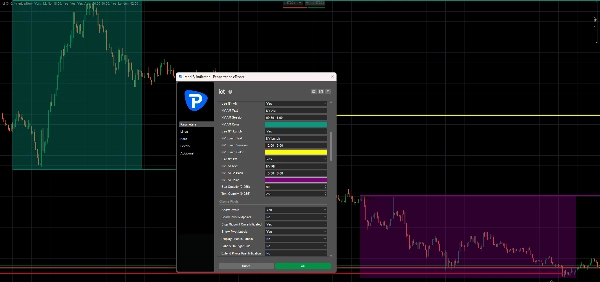
- Custom colors, line styles, widths, opacity, and label size
Practical Use
Traders can use Killzone Levels Suite to identify where liquidity may be resting around previous session highs and lows.
For example, price may sweep the Asia high during the London session, or return to a New York AM midpoint later in the day. These levels can help traders prepare for possible reactions, continuation setups, or reversal areas.
The opening price lines can also help determine intraday bias. Price holding above an important open may suggest bullish pressure, while price trading below it may suggest bearish pressure.
Daily, weekly, and monthly levels add extra context, helping traders avoid analyzing intraday movement in isolation.
Example Setup
A trader could use:
Asia: 20:00 - 00:00London: 02:00 - 05:00NY AM: 09:30 - 11:00NY Lunch: 12:00 - 13:00NY PM: 13:30 - 16:00Timezone: America/New_York
With this setup, the indicator will draw each session box, track its high and low, and optionally extend those levels forward after the session ends.
This gives a clean overview of where important session liquidity and price reaction zones may be located.



!["Smart Money Concepts (SMC) [Iridio Capital]" logo](https://cdn.ctrader.com/image/webp/b4b5414d-a5ca-44b7-a947-e28eca44a218_61548)