
说明
HIO 经济日历到 Telegram 指标旨在让交易者直接在 cTrader 平台内了解关键的宏观经济事件。通过在图表上叠加一个清晰且可自定义的日历,它帮助您跟踪基本数据并高效管理风险,无需在浏览器和交易终端之间切换。
主要功能:
- 实时数据同步:自动获取和更新经济日历数据。
- 智能过滤系统:根据货币(自动图表检测或手动)和特定影响级别筛选事件。
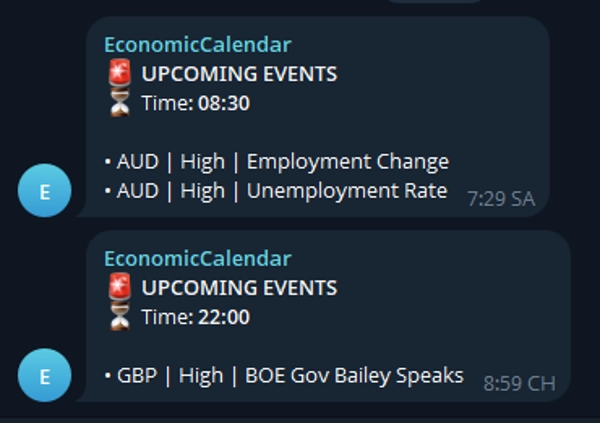
- Telegram 集成:将即将发生的事件提醒直接发送到您的移动设备或群聊。
- 完全可定制的界面:调整仪表盘位置、文字大小、事件槽和颜色以适应您的布局。
设置与参数:
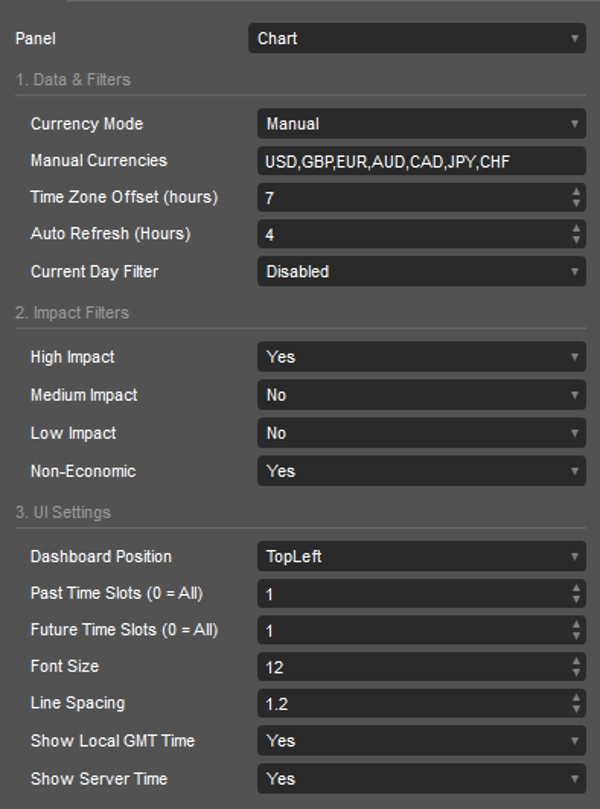
[1. 数据与过滤]
- 货币模式:选择“AutoChart”以跟踪当前符号的货币,或选择“Manual”以使用自定义列表。
- 手动货币:用逗号分隔的货币列表以跟踪(例如,USD,GBP,EUR)。
- 时区偏移(小时):调整日历时间以匹配您的本地时区。
- 自动刷新(小时):指标下载新日历数据的频率。
- 当天过滤器:限制显示当天事件(禁用、按 GMT 偏移、按服务器时间)。
[2. 影响过滤]
- 高影响:切换高影响事件的可见性。
- 中影响:切换中影响事件的可见性。
- 低影响:切换低影响事件的可见性。
- 非经济类:切换假期或非经济事件的可见性。
[3. 界面设置]
- 仪表盘位置:从6个预定义的图表角落/中心选择(例如,左上,右下)。
- 过去时间槽(0 = 全部):限制仪表盘上显示的过去事件数量。
- 未来时间槽(0 = 全部):限制显示的即将发生事件数量。
- 字体大小:调整日历仪表盘的文字大小。
- 行间距:调整事件行之间的垂直距离。
- 显示本地 GMT 时间:在标题中显示计算出的本地时间。
- 显示服务器时间:在标题中显示经纪商服务器时间。
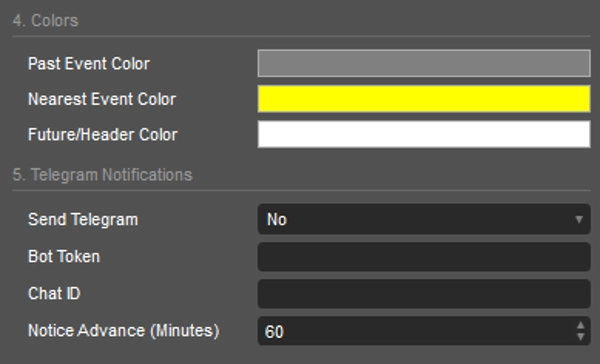
[4. 颜色]
- 过去事件颜色:已发生事件的文字颜色。
- 最近事件颜色:紧接着的下一个即将发生事件的文字颜色。
- 未来/标题颜色:未来事件和仪表盘标题的文字颜色。
[5. Telegram 通知]
- 发送 Telegram:启用或禁用 Telegram 警报。
- 机器人令牌:您的唯一 Telegram 机器人 HTTP API 令牌。
- 聊天 ID:消息发送的目标聊天 ID 或群组 ID。
- 提前通知(分钟):事件发生前多少分钟触发提醒。
视觉、文本与符号:
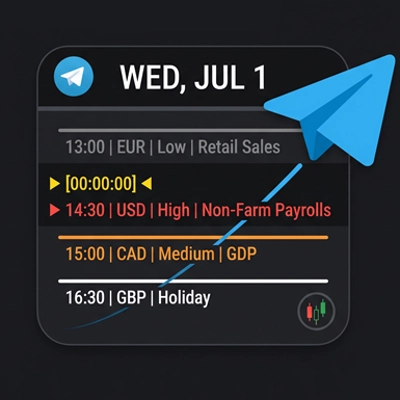
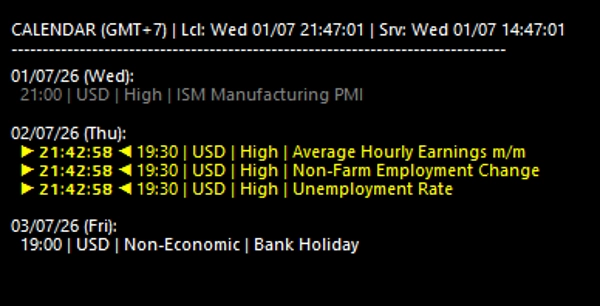
- ▶ [00:00:00] ◀ :表示最近即将发生事件的倒计时计时器。
- 颜色编码:灰色代表过去事件,黄色突出显示最近事件倒计时,白色显示未来计划事件。
为您的图表配备 HIO 经济日历,领先市场动向新闻,优化您的日常交易流程。
摘要
Users can customize the calendar’s appearance, including dashboard position, font size, line spacing, and colors for past, nearest, and future events. Time settings allow adjustment for local time zones and server time display. The indicator also supports Telegram integration, sending advance notifications of upcoming events to a specified chat or group via a Telegram bot, with configurable alert timing.
Visual cues include a countdown timer for the nearest event and color-coded event statuses to distinguish past, current, and future events. This tool aids traders in tracking market-moving news efficiently and managing risk by integrating fundamental data seamlessly into their trading workflow.
客户评价
讨论
常见问答
该作者的其他作品







价格
