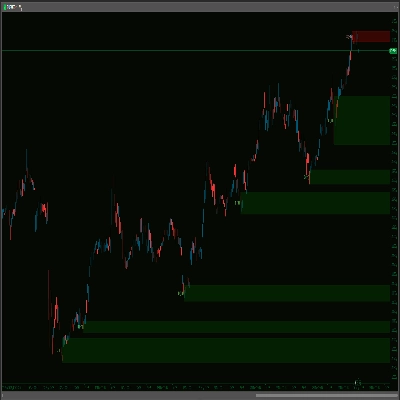
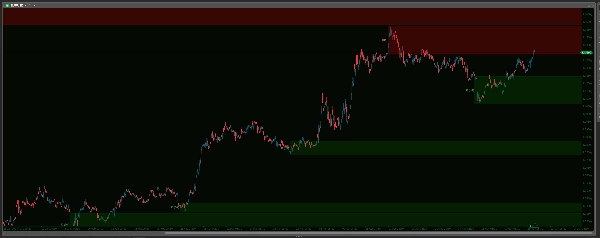
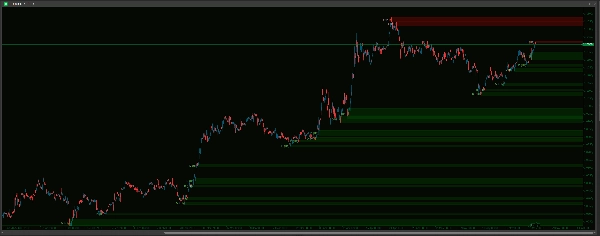
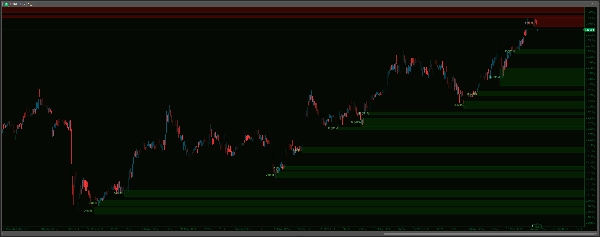
Mô tả
Khám Phá Các Vùng Giao Dịch Có Xác Suất Cao với Advanced Supply Demand!
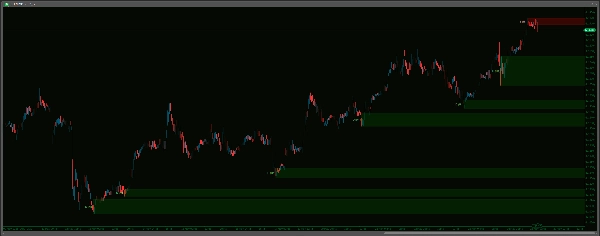
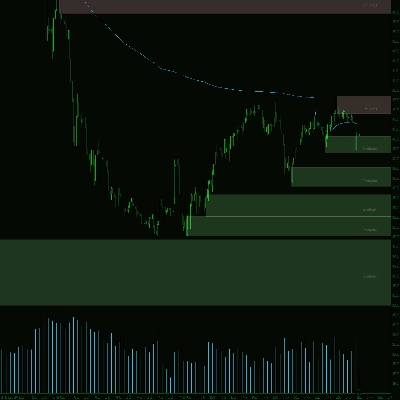
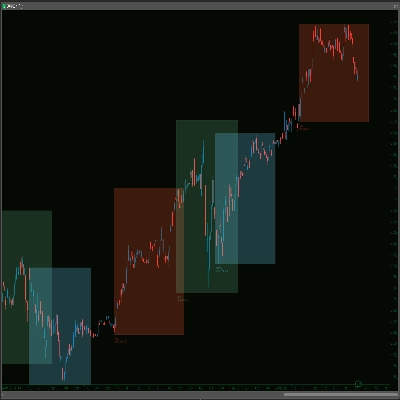
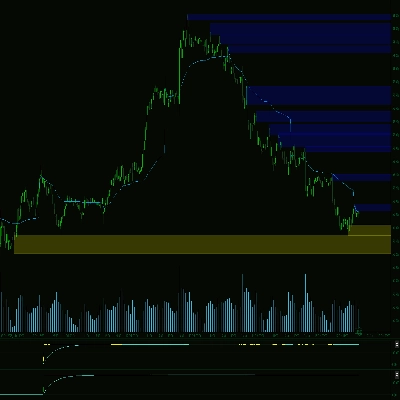
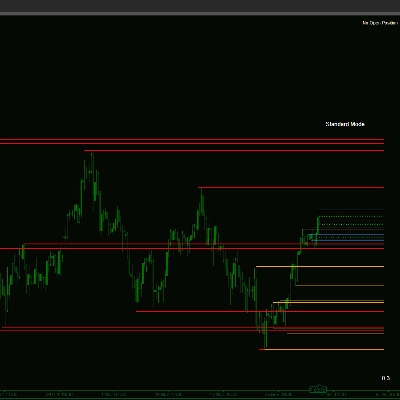
Mở khóa cái nhìn rõ ràng hơn về thị trường với Chỉ Báo Advanced Supply Demand Zones V2 . Công cụ mạnh mẽ này tự động xác định và làm nổi bật các khu vực cung cầu quan trọng trên biểu đồ của bạn, có thể xác định nơi xảy ra các phản ứng giá đáng kể. Với thuật toán phát hiện điểm swing tinh vi, khả năng đa khung thời gian (MTF) và nhiều tùy chọn tùy chỉnh, bạn có thể điều chỉnh chỉ báo hoàn hảo theo phong cách giao dịch của mình. Quản lý các vùng hiệu quả với các tùy chọn loại bỏ các vùng bị phá vỡ hoặc trùng lặp, áp dụng giới hạn thời gian và giữ cho biểu đồ của bạn sạch sẽ. Nâng cao phân tích của bạn với giao diện vùng tùy chỉnh, nhãn khung thời gian rõ ràng và hệ thống cảnh báo âm thanh mạnh mẽ – đi kèm bộ đệm dữ liệu trực tiếp để ngăn tiếng ồn lịch sử – đảm bảo bạn được thông báo khi giá tiếp cận các vùng đã định nghĩa. Nâng tầm phân tích kỹ thuật và đưa ra quyết định giao dịch thông minh hơn!
-------------------
Những cải tiến so với V1:
Advanced Supply Demand V2 mang đến những cải tiến đáng kể cho trải nghiệm giao dịch chính xác hơn, thân thiện với người dùng và hiệu quả hơn:
- Cảnh Báo Thông Minh Hơn, Yên Tĩnh Hơn – Không Còn Tiếng Ồn Lịch Sử!
-
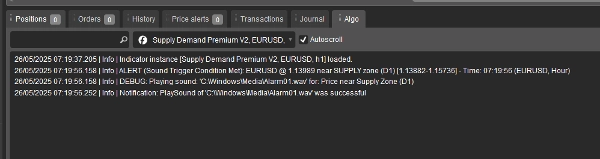
- Cảnh báo chỉ kích hoạt trên hành động giá thời gian thực sau khi tải xong, loại bỏ các cảnh báo lịch sử phiền phức! Thêm vào đó, chọn âm thanh từ menu thả xuống dễ dàng, một bước tiến lớn so với việc gõ tên tệp. Bạn cũng có Giới Hạn Cảnh Báo Tối Đa Mỗi Vùng để tránh spam thông báo.
- Cấu Hình Dễ Dàng – Cài Đặt Đơn Giản Hơn!
-
- Tận hưởng thiết lập trực quan hơn nhiều với menu thả xuống cho hầu hết các tùy chọn (Khung thời gian, lựa chọn Có/Không, Kiểu đường, Tệp âm thanh). Đúng ngay từ lần đầu, mỗi lần!
- Logic & Quản Lý Vùng Rõ Ràng Hơn – Ít Lộn Xộn, Rõ Ràng Hơn!
-
- Được tinh giản thành cách tiếp cận trực tiếp và có thể hành động hơn. V2 sử dụng các quy tắc rõ ràng để loại bỏ các vùng bị phá vỡ, xử lý thông minh các vùng trùng lặp (trùng nhau) để giữ biểu đồ gọn gàng, và cung cấp một hết hạn dựa trên thời gian đơn giản cho các vùng cũ, cùng tùy chọn giới hạn số lượng vùng hiển thị.
- Kiểm Soát Hình Ảnh Tốt Hơn – Biểu Đồ Của Bạn, Cách Của Bạn!
-
- Có kiểm soát chi tiết với các cài đặt giao diện riêng biệt (Màu sắc, Độ dày, Kiểu) cho các vùng Cung và Cầu. Tùy chỉnh hình ảnh chính xác theo sở thích và làm cho các vùng tương tác trên biểu đồ của bạn!
- Định Nghĩa Vùng Linh Hoạt Hơn!
-
- Bây giờ bao gồm tùy chọn
IncludeBarBody, cho phép bạn chọn giữa vùng chỉ có bấc hoặc vùng bao gồm thân nến để có cái nhìn thị trường rộng hơn và khác biệt hơn.
- Bây giờ bao gồm tùy chọn
-------------------
Hướng Dẫn Cài Đặt: Advanced Supply Demand Zones
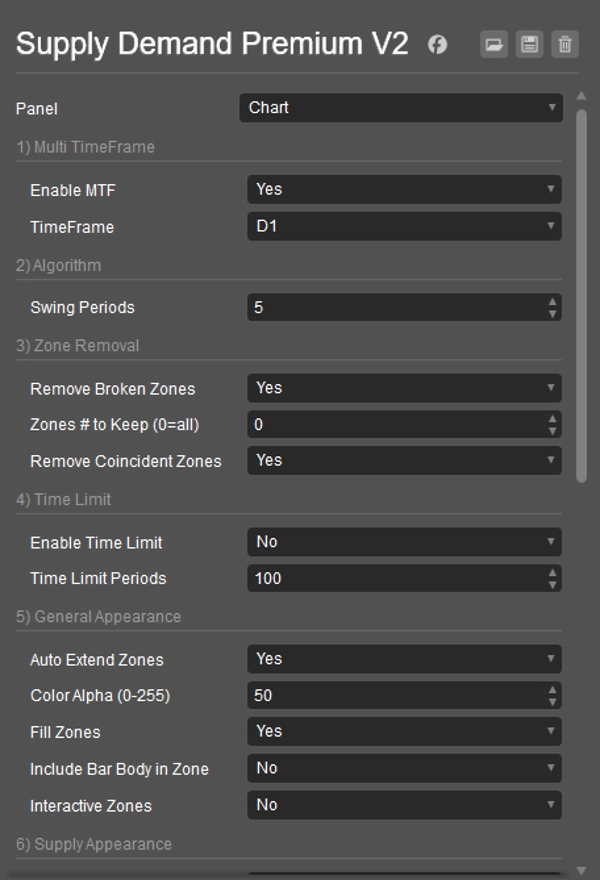
1) Đa Khung Thời Gian
- Bật MTF: Chọn Có để xem các vùng từ khung thời gian khác trên biểu đồ hiện tại của bạn. Chọn Không để chỉ xem các vùng trên biểu đồ hiện tại.
- Khung Thời Gian: Nếu MTF là Có, chọn khung thời gian khác ở đây (ví dụ, vùng H4 trên biểu đồ M15).
2) Thuật Toán
- Chu Kỳ Swing: Đặt số thanh xác định một điểm quay mạnh của thị trường (điểm swing) để tạo vùng. Số cao hơn nghĩa là vùng mạnh hơn (và thường ít hơn).
3) Loại Bỏ Vùng
- Loại Bỏ Vùng Bị Phá: Chọn Có để tự động xóa vùng khi giá phá vỡ rõ ràng qua vùng đó.
- Số Vùng Giữ Lại (0=tất cả): Giới hạn số vùng gần đây nhất được hiển thị.
0hiển thị tất cả. - Loại Bỏ Vùng Trùng Lặp: Chọn Có để tự động loại bỏ vùng cũ hơn trong hai vùng nếu chúng trùng lặp nhiều, giữ biểu đồ gọn gàng hơn.
4) Giới Hạn Thời Gian
- Bật Giới Hạn Thời Gian: Chọn Có để làm cho các vùng rất cũ tự động biến mất.
- Chu Kỳ Giới Hạn Thời Gian: Nếu bật giới hạn thời gian, các vùng cũ hơn số thanh này sẽ bị loại bỏ.
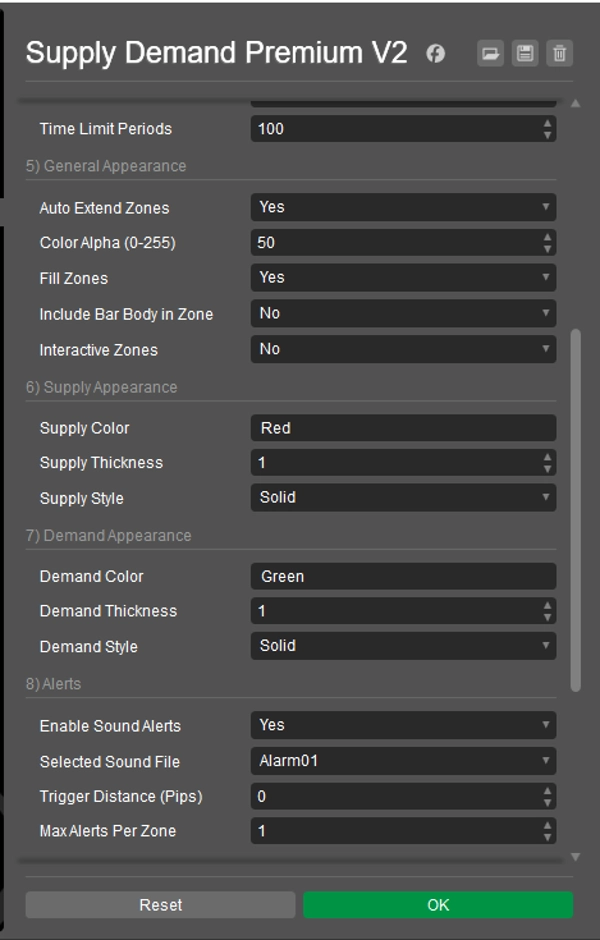
5) Giao Diện Chung
- Tự Động Kéo Dài Vùng: Chọn Có để vẽ vùng kéo dài vào tương lai. Chọn Không để vùng ngắn hơn.
- Độ Mờ Màu (0-255): Đặt độ trong suốt của màu vùng (0 = vô hình, 255 = đặc).
- Tô Màu Vùng: Chọn Có để tô màu vùng. Chọn Không chỉ viền.
- Bao Gồm Thân Nến Trong Vùng: Chọn Có để dùng thân nến (cộng với bấc) cho độ rộng vùng. Chọn Không chỉ dùng bấc.
- Vùng Tương Tác: Chọn Có để cho phép bạn nhấp và di chuyển vùng trên biểu đồ.
6) Giao Diện Cung
- Màu Cung: Đặt màu cho vùng cung (phía trên). (ví dụ, "Đỏ", "#FF0000")
- Độ Dày Cung: Đặt độ dày đường viền cho vùng cung.
- Kiểu Cung: Đặt kiểu đường viền (Đặc, Chấm, v.v.) cho vùng cung.
7) Giao Diện Cầu
- Màu Cầu: Đặt màu cho vùng cầu (phía dưới). (ví dụ, "Xanh lá", "#00FF00")
- Độ Dày Cầu: Đặt độ dày đường viền cho vùng cầu.
- Kiểu Cầu: Đặt kiểu đường viền (Đặc, Chấm, v.v.) cho vùng cầu.
8) Cảnh Báo Lưu ý: Để tránh cảnh báo trên dữ liệu cũ hoặc ngay khi khởi động, cảnh báo âm thanh chỉ kích hoạt sau khi có 20 lần giá trực tiếp kể từ khi chỉ báo được tải trên biểu đồ của bạn.
- Bật Cảnh Báo Âm Thanh: Chọn Có để bật thông báo âm thanh khi giá gần vùng.
- Tệp Âm Thanh Đã Chọn: Chọn âm thanh bạn muốn nghe cho cảnh báo. Âm thanh hệ thống (như "Alarm01") cố gắng phát từ
C:\Windows\Media\; đảm bảo tệp tồn tại và cTrader có thể truy cập. "cTraderDefaultAlert" dùng âm thanh chuẩn của cTrader. "None" không phát âm thanh. - Khoảng Cách Kích Hoạt (Pips): Khoảng cách (tính bằng pips) mà giá phải đến gần mép vùng để kích hoạt cảnh báo.
- Giới Hạn Cảnh Báo Tối Đa Mỗi Vùng: Giới hạn số lần cảnh báo sẽ phát cho cùng một vùng.
9) Nhãn Khung Thời Gian
- Hiển Thị Nhãn Khung Thời Gian: Chọn Có để hiển thị khung thời gian (ví dụ, H1, D1) trên mỗi vùng.
- Màu Nhãn Cung: Màu chữ cho nhãn vùng cung.
- Màu Nhãn Cầu: Màu chữ cho nhãn vùng cầu.
- Độ Dịch Nhãn X (Thanh): Điều chỉnh vị trí ngang của nhãn so với điểm bắt đầu vùng.
- Kích Thước Phông Chữ Nhãn: Đặt kích thước chữ của nhãn.
10) Khác
- Dọn Dẹp Khi Khởi Động: Chọn Có để xóa các bản vẽ cũ từ chỉ báo này khi cTrader khởi động hoặc khi chỉ báo được thêm vào biểu đồ.
- Nhận Diện Lại Các Vùng Đã Xóa: (Cài đặt này có ảnh hưởng trực tiếp hạn chế trong phiên bản hiện tại. Các vùng được đánh giá lại trên mỗi tick; nếu tiêu chí cho một vùng được đáp ứng lại và vùng đó không bị coi là bị phá vỡ, nó sẽ xuất hiện lại bất kể cài đặt này là Có hay Không).
----------------------------
Xin vui lòng xem các chỉ báo khác của tôi:
https://ctrader.com/products/1181
https://ctrader.com/products/1182
https://ctrader.com/products/1180
https://ctrader.com/products/1015
https://ctrader.com/products/555
https://ctrader.com/products/553
https://ctrader.com/products/554
https://ctrader.com/products/552
https://ctrader.com/products/557
https://ctrader.com/products/845
https://ctrader.com/products/848
https://ctrader.com/products/847
https://ctrader.com/products/846
https://ctrader.com/products/551
https://ctrader.com/products/574
https://ctrader.com/products/573
https://ctrader.com/products/556
https://ctrader.com/products/558
https://ctrader.com/products/559
https://ctrader.com/products/560
Tóm tắt
Visual customization is granular, with separate settings for supply and demand zone colors, thickness, and line styles. Zones can be configured to include candle wicks only or both wicks and bodies, providing flexible market perspectives. Interactive zones allow users to click and move zones directly on the chart.
The alert system is designed to minimize noise by triggering notifications only on live price action after the indicator loads, with configurable sound options and limits on alert frequency per zone. Timeframe labels can be displayed on zones with customizable appearance settings.
Additional features include automatic cleanup of old drawings on startup and options to re-identify zones dynamically. This indicator aims to enhance technical analysis by clearly marking high-probability trading zones for more informed decision-making.
Đánh giá của khách hàng
5 | 67 % | |
4 | 33 % | |
3 | 0 % | |
2 | 0 % | |
1 | 0 % |






![Logo "[Hamster-Coder] Pivot Points MTF"](https://cdn.ctrader.com/image/webp/4c143e5a-309c-40e3-a578-f04d1e133ffa_31159)